

Last Updated: September 16, 2026
Most home office checklists are lists of adjectives. Sit up straight, use a supportive chair, take breaks. None of that is checkable, which is why people read the advice, nod, and change nothing. A useful checklist gives you numbers you can verify with a tape measure in ten minutes, in an order that makes sense, so that fixing one item does not break another.
The order matters more than people expect. Chair height determines elbow height, which determines desk height, which determines whether you need a footrest, which determines where the monitor has to sit. Start at the monitor and you will end up moving it twice. Work from the floor upward instead: feet, chair, desk surface, keyboard, screen, then light. Below is that sequence with a measurable target for each checkpoint, the common fix when you miss it, and current US prices. Everything here is about reducing strain and staying comfortable through a long day, not about treating a medical condition.

Dual Monitor Stand fits up to 32 inch, 4.4-19.8 lbs Computer Screens, Dual Monitor Desk Mount Height Adjustable, Monitor Arms for 2 Monitors, Home Office VESA Mounts, Freelift Black
Selected for "ergonomic home office setup checklist": this listing is a desk setup product (Dual Monitor Stand fits up to 32 inch, 4.4-19.8 lbs Computer Screens, Dual Monit), matching the product category this article compares.
View on Amazon
Mount-It! Under Desk Keyboard Tray, Adjustable Slide-Out Keyboard, Black
Selected for "ergonomic home office setup checklist": this listing is a desk setup product (Mount-It! Under Desk Keyboard Tray, Adjustable Slide-Out Keyboard, Black), matching the product category this article compares.
View on Amazon
MOUNTUP Triple Monitor Mount, Triple Monitor Desk Mount for Max 27 inch Computer Screens, 3 Monitors Stand for Desk, Monitors Arm with Swivel, Tilt, Rotation, Each Arm Holds 4.4-19.8 lbs
Selected for "ergonomic home office setup checklist": this listing is a desk setup product (MOUNTUP Triple Monitor Mount, Triple Monitor Desk Mount for Max 27 inch Computer), matching the product category this article compares.
View on Amazon
KIGGOS Acrylic Clipboards 12.5 x 9, Clear 6 Pack Letter Size Clip Boards with Low Profile Metal Clips, Hold up to 100 Sheets, Lightweight Set for Classroom, School, Office and Home
Selected for "ergonomic home office setup checklist": this listing is a lighting product (KIGGOS Acrylic Clipboards 12.5 x 9, Clear 6 Pack Letter Size Clip Boards with Lo), matching the product category this article compares.
View on Amazon📄 In This Review
Quick Verdict
| Checkpoint | Target to hit | Common fix | Price |
|---|---|---|---|
| 1. Feet | Flat on floor or a rest, knees near 90 degrees | CasaZenith Six-Height Foot Rest | $19.99 |
| 2. Chair and back | Hips back in seat, lower back supported | Everlasting Comfort Lumbar Support Pillow | $39.99 |
| 3. Chair overall | Height, lumbar, and armrests all adjustable | Nexthro Ergonomic Office Chair with Lumbar Support | $115.99 |
| 4. Desk height | Elbows near 90 degrees, forearms parallel to floor | FEZIBO 48 x 24 Electric Height Adjustable Desk | $99.98 |
| 5. Keyboard height | Wrists straight, shoulders relaxed | VIVO Clamp-on 27 x 11 in Keyboard Tray | $49.99 |
| 6. Wrists | Neutral, no upward bend while typing | Gimars Gel Memory Foam Keyboard Wrist Rest | $13.93 |
| 7. Monitor | Top edge at or just below eye level, arm’s length away | HUANUO FlowLift Pro Monitor Arm, 13-32″ | $29.99 |
| 8. Lighting | Desk lit without glare on the screen | Quntis Computer Monitor Light Bar | $39.95 |
How to Choose
See also: Best ViewSonic Monitor: Six Listings Sorted by Job, From a Portable 16-Inch to a Curved 1440p Screen • Best AOC Monitor: Eight Listings Ranked by Price, Refresh Ceiling and Panel Type
Run the checklist in order, from the floor up
Sit in your chair the way you actually sit. Feet flat, hips as far back in the seat as they go. Raise or lower the chair until your forearms rest parallel to the floor when your hands are on the keyboard, elbows near 90 degrees, shoulders down rather than shrugged. Check your feet: still flat? If not, you need a footrest, not a lower chair. Now check the desk: if the surface forces your elbows above 90 degrees, the desk is too tall and needs a keyboard tray or an adjustable frame. Finally, check the screen. Each step depends on the one before it, which is why the order is not arbitrary.
Know which numbers actually matter
Four measurements carry most of the benefit. Elbows near 90 degrees with forearms parallel to the floor. Feet flat on the floor or fully supported on a rest with knees near 90 degrees. The top of the monitor at or slightly below seated eye level. The screen roughly an arm’s length away, 20 to 30 inches from your eyes. If you hit those four and change position regularly, you have captured the large majority of what a desk setup can do for comfort.
Spend in the right order if the budget is limited
If you can only fix one thing, fix screen height, because a laptop or low monitor produces a sustained forward head tilt that costs you every hour of the day, and the fix is $10 to $30. Second is the keyboard and elbow height, because it governs your shoulders. Third is the chair, which is the expensive item and the one most people buy first. Fourth is a footrest, which is cheap and only relevant if your feet dangle. Lighting comes last, and matters most if you work evenings.
Do not skip the wrist and forearm check
With your hands on the keyboard, look at the line from your elbow through the wrist to the knuckles. It should be roughly straight, with no upward bend at the wrist and no sideways deviation. If your wrists angle upward, the keyboard is too high or its rear feet are propped up; fold those feet down, they usually make things worse rather than better. A wrist rest supports the heel of the hand between bursts of typing; it is not meant to be leaned on while you type.
Set a movement rule, not just a furniture layout
No arrangement of furniture is comfortable for four uninterrupted hours. The most useful single habit is changing position roughly every 30 to 45 minutes, whether that means standing, walking to refill a glass, or just leaning back for a minute. If you have a sit-stand desk, that is what the standing blocks are for. If you do not, a timer does the same job for free.
Re-run the checklist when anything changes
A new chair, a new monitor, a new desk, or a new pair of shoes can each move one of the four numbers. Progressive lenses are the sleeper item: if you start wearing them, your correct monitor height drops by several inches, because you read through the bottom of the lens. Ten minutes with a tape measure after any change beats three weeks of wondering why the setup stopped feeling right.
The Picks in Detail
CasaZenith Foot Rest, Six Heights Adjustable – $19.99
Checkpoint one. If setting the chair for your elbows lifts your feet off the floor, which is common for anyone under about 5 feet 7 inches at a standard 29-inch desk, you need a platform at exactly the height of that gap. Six settings covers the usual 2-to-6-inch range. Measure from your heel to the floor before ordering; a rest that is too tall pushes your knees above your hips and creates a new pressure point.
Everlasting Comfort Lumbar Support Pillow for Office Chair – $39.99
Checkpoint two, and the cheapest way to improve a chair you already own. The point of lumbar support is to fill the gap between the chair back and the inward curve of your lower spine so you can sit back against the backrest instead of perching forward. Position it at belt height, not higher. If your current chair has adjustable built-in lumbar support, use that first and skip the cushion.
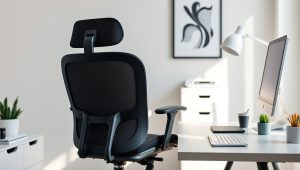
Nexthro Ergonomic Office Chair with Lumbar Support, High Back – $115.99
Checkpoint three, for when the chair itself is the limiting factor. The features that matter are height adjustment through a genuine range, lumbar support you can position, and armrests that set low enough to let your shoulders drop. A mesh back helps on long days in a warm room. At $115.99 this sits at the point where chairs start including all three adjustments rather than one.
FEZIBO Standing Desk 48 x 24 Inch Electric Height Adjustable – $99.98
Checkpoint four. The standard American desk is 29 to 30 inches tall, which suits people near 6 feet and is too high for everyone else. An electric adjustable frame lets you set the surface to your measured elbow height exactly, and raise it for standing blocks. Under $100 it now undercuts many fixed desks. The 24-inch depth is the caveat and argues for pairing it with a monitor arm.
VIVO Black Clamp-on 27 x 11 in Keyboard Tray, MOUNT-KB05E – $49.99
Checkpoint five, and the fix when you like your desk but it is two or three inches too tall. The tray clamps on without drilling and drops the typing surface below the desktop with tilt adjustment for a slight downward angle, which keeps wrists flatter than a level surface does. Twenty-seven inches is enough width for a full-size keyboard and a mouse for most people.
Gimars Gel Memory Foam Keyboard Wrist Rest – $13.93
Checkpoint six. A wrist rest supports the heel of your hand during pauses so your hands are not hovering or braced against a hard desk edge. Gel over memory foam gives enough support without collapsing flat after a month. Keep your wrists floating while actively typing and let the rest do its work between bursts; parking your full weight on it all day defeats the purpose.
HUANUO FlowLift Pro Monitor Arm for 13-32″ Screens – $29.99
Checkpoint seven, and the highest-value item on this list for most people. A gas-spring arm sets screen height continuously so you can put the top edge exactly at or slightly below eye level, and it pushes the monitor back over the desk edge to reach true arm’s-length distance on a shallow desktop. Check the back of your monitor for VESA holes first; without them you need a riser such as the Canyora 3-height stand at $17.98.
Quntis Computer Monitor Lamp, Screen Monitor Light Bar – $39.95
Checkpoint eight. A light bar clips to the top of the monitor and throws light down onto the desk and keyboard without spilling onto the screen, which is the specific thing ordinary desk lamps get wrong. It also raises the ambient light around a bright display, reducing the contrast between the screen and the dark room behind it. Worth having if you work past sunset; skip it if your desk sits beside a window and you finish at five.
Related guides: best desk height for your body height, best desk setup for a small apartment, best footrest for desk posture, best lighting for home office video calls, best monitor height to avoid neck pain
FAQ
What are the most important measurements in an ergonomic setup?
Four: elbows near 90 degrees with forearms parallel to the floor, feet flat on the floor or a footrest with knees near 90 degrees, the top of the monitor at or slightly below seated eye level, and the screen about an arm’s length away. Hit those and you have most of the benefit.
In what order should I set things up?
From the floor upward. Chair height first, set by your elbows. Then feet, adding a footrest if they dangle. Then the desk or keyboard surface. Then the monitor. Then lighting. Each step constrains the next, so working top-down means redoing work.
Do I need an expensive chair to be comfortable?
No, but you do need adjustability. A chair whose height, lumbar support, and armrests all adjust will beat a more expensive fixed one. If replacing the chair is not an option, a lumbar cushion at around $40 and a footrest at around $20 fix the two most common problems with an ordinary chair.
How often should I get up from my desk?
Change position roughly every 30 to 45 minutes. That can mean standing, walking across the room, or just leaning back and moving your shoulders. Staying in any single position for hours is the underlying issue, and no furniture arrangement removes it.
Will following this checklist fix my back or neck pain?
A properly measured setup removes the sustained forward head tilt, shrugged shoulders, and perched sitting that make long days uncomfortable, and most people notice a difference within a week or two. It reduces strain; it is not a treatment. Pain that is persistent, severe, radiating, or worsening deserves a clinician’s assessment rather than another purchase.
Related Reviews & Guides

Best 3d Printer in 2026: Compared and Ranked
8 Best Noise Machines for Office: Block Distractions and Focus










