Last Updated: October 9, 2026
- Quick Comparison
- The Core Difference: Rail vs No Rail
- Head-to-Head Spec Comparison
- Top Picks at a Glance
- Walking Pads: Who They’re Best For
- Under-Desk Treadmills: Who They’re Best For
- Noise: The Overlooked Spec for Home Office Workers
- Ergonomics During Active Walking Work
- Productivity Reality Check
- Budget Guidance
- Frequently Asked Questions
- About the Author
- Related Articles
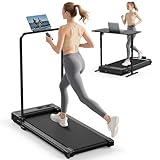
- Top Pick: Walking Pad Treadmill for Home – Under Desk Treadmills Portable Mini Compact Walk Pads for Small Spaces Office Indoor Apartment Floor Flat Running Machine with Remote Quiet Lightweight
- Best Value: ICYLOOT Walking Pad Treadmill with Incline and Handle Bar for Home Office
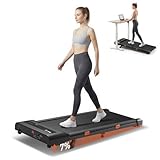
- Premium Choice: MCRG Walking Pad with Incline, Portable Treadmill with Handle Bar for Home


TL;DR: Desk treadmill vs walking pad comes down to one question: do you need the safety rail or not? Walking pads are slimmer, cheaper, and desk-friendly for slow walking. Traditional under-desk treadmills offer handrails, higher speed ranges, and better stability. This comparison covers specs, use cases, and who should buy which.
Desk Treadmill vs Walking Pad: Full Comparison for Home Office Workers
Sitting kills productivity over time — but standing still isn’t much better. Walking while working has genuine metabolic and cognitive benefits at 1–2 mph, and the market has split into two distinct product categories to serve it: the under-desk treadmill (with console and optional rail) and the walking pad (rail-free, flat, minimal footprint). Picking the wrong one wastes money and desk space.
As an Amazon Associate we earn from qualifying purchases at no extra cost to you.




🛒 Best Price Today on Amazon
Prime members get fast, free shipping on everything above, plus member-only deals. New members get a 30-day free trial — cancel anytime.
📄 In This Review
- Quick Comparison
- The Core Difference: Rail vs No Rail
- Head-to-Head Spec Comparison
- Top Picks at a Glance
- Walking Pads: Who They’re Best For
- Under-Desk Treadmills: Who They’re Best For
- Noise: The Overlooked Spec for Home Office Workers
- Ergonomics During Active Walking Work
- Productivity Reality Check
- Budget Guidance
- Frequently Asked Questions
- About the Author
- Related Articles
Quick Comparison
| Product | Brand | Price | Rating |
|---|---|---|---|
| Yagud Walking Pad | YagudFitness | $109.99 | 4.4/5 |
| TRAILVIBER Walking Pad Treadmill with 12% 9-Level Auto … | TRAILVIBER | $329 | 4.7/5 |
| TREAFLOW Walking Pad | TREAFLOWWalkigPad | $143.99 | 4.2/5 |
| Abonow Walking Pad | Abonow | — | — |
| Walking Pad Treadmill with Handle Bar and Adjustable In… | Viamotion | — | — |
The Core Difference: Rail vs No Rail
See also: Best 49 Inch Monitor: Eight Super Ultrawides Compared by Bandwidth and Desk Depth • Working Table for Home: Sit-Stand and L-Shaped Setups Compared
This single feature defines the entire product category split. A desk treadmill has a console arm or safety rail — the bar you grip or that simply exists for balance reference. A walking pad has neither: it’s a belt on a platform, nothing else.
That difference cascades into everything else: footprint, height (walking pads fit under lower sit-stand desks), storage, max speed, price, and safety profile. Neither is objectively better — the right choice depends on your desk, your stability, and your walking pace.
Head-to-Head Spec Comparison
| Feature | Walking Pad | Under-Desk Treadmill (with rail) |
|---|---|---|
| Height profile | 3–6 inches — fits under most sit-stand desks | 6–10 inches — requires taller desk clearance |
| Footprint | Compact, often foldable | Larger, some fold vertically |
| Max speed | 3–4 mph (walk only) | Up to 6–8 mph (run capable on some models) |
| Stability | Lower — relies on user balance | Higher — rail provides reference point |
| Noise level | Generally quieter motor | Varies — some quieter, some louder |
| Price range | $150–$500 | $300–$1,200+ |
| Weight capacity | 220–265 lbs typical | 265–330 lbs typical |
| Display/controls | Often app-based or remote | Usually onboard console + app |
| Best use case | Slow walking (1–2 mph) while typing | Walking + occasional faster pacing, video calls standing |
Top Picks at a Glance
Walking Pads: Who They’re Best For
Ideal Walking Pad Users
Walking pads suit workers who primarily walk at 1–2 mph while doing passive work: reading, watching videos, attending audio-only calls, reviewing documents. At these speeds, typing is possible but slower — most users accept a 20–30% typing speed reduction during active walking sessions.
They’re also the right pick for small home offices. A folded walking pad stores upright against a wall or slides under a couch. If you’re working from a studio apartment or shared space, the footprint advantage is decisive.
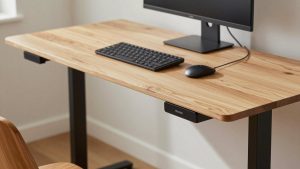
The desk pairing matters: walking pads add 3–6 inches of height, so you need a sit-stand desk that goes high enough to compensate. The TIQLAB Standing Desk (B0D4YYY6ZR, $119.99) has sufficient height range for most walking pad configurations. See our full best-in-class standing desks for height-clearance analysis.
Under-Desk Treadmills: Who They’re Best For
Ideal Under-Desk Treadmill Users
Workers who want the option to walk faster (2.5–4 mph) during breaks, or who will use the same machine for light cardio after the workday. The rail provides balance reference during faster walking, making active pacing more natural. Video calls while standing benefit from the rail — you’re not subtly swaying when the camera is on.
Users with balance concerns or anyone recovering from injury should choose a railed treadmill over a walking pad regardless of footprint constraints. The safety benefit outweighs the size penalty.
Noise: The Overlooked Spec for Home Office Workers
Treadmill noise kills video calls and disrupts focus in a shared space. Decibel ratings in product listings are typically measured at low speed under ideal conditions — treat them as floor estimates, not typical operating noise.
Factors that increase noise: hard floors (tile, hardwood) vs carpet, motor type (brushless DC motors are quieter), belt tension (worn belts rattle), and walking cadence (heavy footfall amplifies motor noise). Place any walking unit on a rubber mat — this alone reduces transmitted floor vibration significantly and is the single best noise mitigation beyond buying a quieter motor.
Ergonomics During Active Walking Work
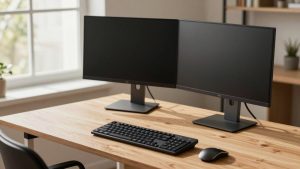
Walking raises your standing height by the platform height (3–6 inches). If your monitor arms aren’t height-adjustable, you’ll be looking down at screens while walking — which strains the neck in a different direction than typical desk work. Adjust monitor height upward to compensate whenever transitioning to walking mode.
The monTEK Dual Monitor Arm (B0FSRFN6CX, $104.99) makes this trivial — raise both screens in seconds with gas-spring adjustment. Fixed monitor stands can’t accommodate the height shift. See our our montek dual monitor arm review and monitor arm vs stand comparison for full details.
Keyboard and mouse position also shift when walking. Keyboard tray or a desk surface at correct elbow height for your walking-plus-platform height is essential. Most users need the desk surface 2–4 inches higher in walking mode than standard standing mode.
Productivity Reality Check
Research on walking while working shows clear cognitive benefits for creative and reading tasks, modest impact on focused analytical work, and measurable typing speed reduction. Realistic expectation: walking mode works best for 30–60 minute sessions during lower-intensity work blocks, not for deep-focus coding or intensive writing.
Build a workflow around this: schedule walking sessions during email processing, reading, and calls. Return to sitting (in a well-adjusted chair — the LiberNovo Ergonomic Chair (B0FXFB9XS7, $922) handles transitions well) for high-focus tasks. See our see ergonomic office chairs back pain for seated recovery options.
Budget Guidance
Walking pads under $200 exist but often have weak motors (burnout after 3–6 months of daily use) and narrow belts (under 16 inches wide — cramped for most adults). Budget $300+ for a walking pad you’ll use daily. Under-desk treadmills under $400 are generally suitable for light use; daily-use machines start around $600. Factor in the rubber mat ($20–40) as a required accessory, not optional.
Frequently Asked Questions
Can you use a walking pad with any standing desk?
Not all. Walking pads add 3–6 inches of height, and your desk must reach high enough to match correct arm position with that extra elevation. Check your desk’s maximum height against your required elbow height plus the pad’s platform height before buying.
How fast should you walk while working?
1–2 mph for tasks requiring active typing or screen interaction. Up to 3 mph for passive tasks like listening to calls or watching video. Above 3 mph significantly impacts cognitive performance and typing accuracy for most people.
Are desk treadmills loud enough to disturb coworkers on video calls?
At 1–1.5 mph, most modern brushless DC models register 40–50 dB — roughly refrigerator hum level. This is usually below video call microphone pickup threshold, especially with a directional mic. Test during an offline call before committing to walking during meetings.
What’s the weight limit difference between walking pads and under-desk treadmills?
Walking pads typically support 220–265 lbs. Under-desk treadmills commonly support 265–330 lbs due to sturdier frames. For users near the top of a walking pad’s weight rating, the under-desk treadmill is worth the size tradeoff for longevity and stability.
Do you need special shoes for walking pad use?
Yes — wear proper athletic shoes, not socks or hard-soled dress shoes. Running or cross-training shoes with cushioned soles reduce impact on joints during extended sessions. Hard soles increase noise significantly on any belt surface.
Complete your active workstation with proper cable management when adding a walking pad — moving around the desk creates new cable tension points. Our under-desk cable management guide covers routing for mobile desk setups. For the full setup cost breakdown, see our $1,500 home office build guide.
Related Reviews & Guides
FlexiSpot Comhar All-in-One Standing Desk: What It’s Really Like to Use

Quick Picks: Best Under-Desk Treadmills and Bike Pedals…