Last Updated: October 28, 2026
- The short version in one table
- How each panel makes a picture
- Gaming performance: what changes in practice
- Burn-in, image retention and what to do about them
- Worked example: score your own week
- Text clarity, resolution and sizing
- Common mistakes to avoid
- When to stop and rethink the purchase
- Final pick by player type
- Frequently asked questions
Pick OLED if you play mostly dark, cinematic or fast-motion games in a dim room and can live with a few care habits; pick IPS if your screen spends hours a day on static windows, your room is bright, or you want the lowest cost per inch. Neither panel type is simply “better”, and the gap that matters most is what you put on screen for the longest stretch of the week, not the spec-sheet headline.
This guide is written by the Editorial team from published specifications, manufacturer documentation and buyer reviews. Nobody on the team has put a panel through a lab bench for this piece, so every performance statement below is general, hedged knowledge about the two technologies rather than a claim about one particular model. Check the exact listing for anything model-specific.
📄 In This Review
- The short version in one table
- How each panel makes a picture
- Gaming performance: what changes in practice
- Burn-in, image retention and what to do about them
- Worked example: score your own week
- Text clarity, resolution and sizing
- Common mistakes to avoid
- When to stop and rethink the purchase
- Final pick by player type
- Frequently asked questions
The short version in one table
| Question | OLED tends to win when | IPS tends to win when |
|---|---|---|
| Dark scenes and contrast | You play horror, space or night-time games and want true black | You play in a bright room where black levels are washed out anyway |
| Motion clarity | You chase the cleanest fast-motion picture at high refresh rates | A fast IPS panel is “good enough” for your genres |
| Static desktop use | Mixed use with a plan to rotate windows and hide taskbars | Spreadsheets, code or chat windows stay open for eight hours a day |
| Full-screen brightness | Mostly mixed-content games and video | White documents, bright web pages and sun-lit rooms |
| Budget per inch | You can pay a premium for the picture | You want the most monitor for the money |
| Long-term worry | You accept pixel-care features and read the warranty | You want zero panel-wear anxiety |
How each panel makes a picture
See also: Mini LED vs OLED Monitor: Contrast, Brightness, Burn-In and Who Should Pick Which • 27 Inch vs 32 Inch Monitor: Desk Space, Sharpness and Which Size Fits
An IPS monitor is an LCD. A white backlight sits behind a layer of liquid crystals and color filters, and the crystals twist to let light through. Because the backlight is always on in the lit areas, a pure black is really very dark gray, and the panel’s contrast ratio is usually quoted in the low thousands to one. Some IPS monitors add local dimming zones to improve this, but zone-based dimming can create a faint glow around bright objects on dark backgrounds.
An OLED monitor has no backlight. Each pixel produces its own light, so a pixel that should be black simply turns off. That is why OLED black looks like the bezel on a dark screen, and why contrast is described as effectively unlimited. Those self-lit pixels also switch states very quickly, which is the root of the fast pixel response manufacturers advertise for OLED.
Two practical consequences follow. First, OLED brightness depends on how much of the screen is lit: many OLED monitors dim the picture when a large share of the screen is white, a behavior commonly called automatic brightness limiting. Second, the organic material in each pixel ages with use, so heavy, repeated display of the same bright shape can leave a faint ghost behind. Modern monitors include countermeasures, but they reduce the risk rather than remove it.
Gaming performance: what changes in practice
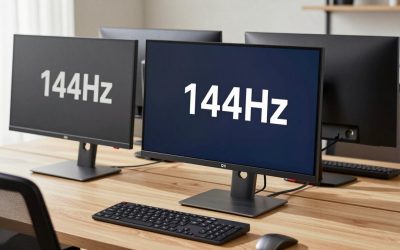
Refresh rate and response time are separate things. Refresh rate is how many times per second the screen redraws; response time is how fast a pixel finishes changing color. OLED panels are commonly advertised with response times far below one millisecond, while fast IPS gaming monitors advertise around one millisecond in their quickest overdrive mode. Those IPS figures are usually gray-to-gray under favorable settings, and aggressive overdrive can add a bright halo behind moving objects. Treat both numbers as seller claims and look for buyer comments about smearing or overshoot.
In fast shooters at high refresh rates, the OLED advantage shows up as less trailing behind moving targets. In slower games such as strategy, role-playing or builder titles, most players struggle to see a difference between a good IPS and an OLED in motion, while the contrast difference remains easy to spot in dark environments. If your library is mostly competitive shooters, motion matters more; if it is atmospheric single-player games, contrast and HDR matter more.
HDR deserves a cautious note. OLED can show a tiny bright highlight right next to true black, which is what makes HDR look convincing. Many IPS monitors carry an HDR label with modest peak brightness and no local dimming, which delivers a much smaller effect. Check whether an IPS listing mentions local dimming zones and a stated peak brightness, rather than trusting a bare HDR badge.
Variable refresh rate behavior also differs. Some OLED monitors can show brightness flicker in dark scenes when the frame rate swings widely under VRR, because the panel’s brightness curve shifts with refresh. Buyer reviews are the best place to find out whether a particular model has this trait. Capping the frame rate slightly below the maximum refresh usually calms it.
Burn-in, image retention and what to do about them
Image retention is temporary: a faint ghost of a static element fades after the panel shows moving content or rests. Burn-in is permanent loss of brightness in the pixels that carried the static element for too long. LCD technology has its own, much rarer, persistence effects, but the long-term concern is real mainly for OLED.
Risk depends on three factors: how bright the static element is, how many hours per day it is shown, and how long that pattern continues. A game HUD in a mostly moving scene is a lower risk than a bright taskbar left on screen all day. The sensible habits are simple and cheap:
- Set the taskbar to auto-hide and use a dark theme in your desktop apps.
- Lower the brightness for desktop work and keep the high brightness for games and video.
- Let the monitor run its pixel-refresh or compensation cycle when it asks, and do not interrupt it.
- Set a short screen-off timer so the display is not left on a static page.
- Read the warranty text: coverage for burn-in differs a lot between brands, and some exclude it entirely.
If you are comparing brands, the LG vs Samsung monitor comparison covers how to weigh warranty and support differences when two big names look similar on paper.
Worked example: score your own week
Here is a quick decision flow you can run with a pencil. The assumptions below are illustrative; swap in your own hours.
| Activity | Hours per week | Static bright elements? |
|---|---|---|
| Competitive and single-player games | 20 | Mostly no (HUD only) |
| Streaming video | 8 | No (letterbox bars are dark) |
| Office, browsing, chat | 35 | Yes (taskbar, white pages) |
| Total | 63 |
In this example the static share is 35 divided by 63, about 56 percent. As a rough editorial rule of thumb (not a manufacturer threshold), a share above half means an OLED needs real discipline: dark mode, auto-hide, lower brightness for work. A person with that profile who does not want to manage those habits is better served by an IPS monitor, or by keeping a cheap IPS screen for work and using the OLED only for play.
Now flip the example. If the same person works on a separate laptop and the monitor is purely for the 28 hours of games and video, the static share drops to zero, and OLED becomes the stronger pick. Step through the flow:
- Add up weekly hours by activity.
- Mark how many of those hours show a bright, unchanging element.
- Divide static hours by total hours.
- Below roughly 25 percent: OLED is comfortable. Between 25 and 50 percent: OLED with habits. Above 50 percent: lean IPS unless you will change your routine.
- Then check room brightness: a window-facing desk pushes the decision back toward IPS.
Text clarity, resolution and sizing
Subpixel layout is a quieter difference. Some OLED monitors use a pixel arrangement that can show slight color fringing around small text, especially at lower pixel density. The effect shrinks as pixel density rises, so a 27-inch panel at 1440p will show it more readily than a 32-inch 4K panel. IPS monitors use the conventional stripe layout that operating-system text rendering is tuned for.
If you code or read long documents, favor a higher pixel density whichever panel you choose. For mixed use, a 1440p panel is the efficient middle: it is easier for a graphics card to drive at high frame rates than 4K, and prices for it are broad. Our 1440p gaming monitor deals page is a useful starting place to see what is common at that tier.
Size and mounting matter too. Big, heavy gaming panels put strain on stock stands, and many people move to an arm for a better viewing angle and a cleaner desk; the monitor arm guide for gaming displays explains weight ratings and VESA fit. If you are thinking even bigger and eyeing a TV as a monitor, the 65-inch OLED TV roundup shows what that route looks like, though TVs bring their own trade-offs for desk use such as size and text sharpness at close range.
Common mistakes to avoid
| Mistake | Why it hurts | Better move |
|---|---|---|
| Buying OLED for an all-day office desk without changing habits | Static bright elements raise retention and wear risk | Dark mode, auto-hide taskbar, lower brightness, or a second screen for work |
| Trusting a bare “HDR” label on IPS | Modest peak brightness without local dimming gives little HDR effect | Look for stated peak brightness and dimming zones |
| Comparing response-time numbers across technologies | Test conditions and overdrive modes differ | Read buyer comments about smearing or overshoot |
| Ignoring room light | Reflections lift blacks and hide the OLED contrast edge | Match the panel to your room, or add a hood or curtain |
| Skipping the warranty page | Burn-in coverage varies by brand and may be excluded | Read the terms before you pay the OLED premium |
| Paying for refresh rate your graphics card cannot feed | The panel never reaches its rated frame rate | Match panel resolution and refresh to your GPU |
When to stop and rethink the purchase
Pause before checkout if any of these are true: the monitor will be your only screen for full-time work and you will not adjust habits; the listing gives no warranty detail and no mention of pixel-care features for an OLED; the IPS listing advertises HDR with no brightness figure; or the price premium pushes you to a smaller size or lower resolution than you actually wanted. A larger, sharper IPS is often a better buy than a small OLED you will feel the need to baby.
After purchase, watch for persistent ghosting that does not fade after a rest cycle, uneven brightness patches, or stuck-looking pixels. If you notice any, document them with a photo and contact the seller or manufacturer under the return or warranty window rather than waiting.
Final pick by player type
- Dark-room single-player fan: OLED, because contrast is where it shines.
- Competitive shooter player: OLED if budget allows, otherwise a fast IPS at your GPU’s frame rate.
- Remote worker who also games: IPS, or an OLED paired with a separate work screen.
- Bright-room or budget-first buyer: IPS, with the savings going toward a stronger graphics card.
- Console player with a TV nearby: consider whether the TV already covers the cinematic use and buy IPS for the desk.
Frequently asked questions
Is OLED worth it over IPS for gaming?
It is worth it if you mostly play in dim rooms, value deep blacks and fast motion, and are ready to follow basic care habits. If your screen sits on static windows for hours or your room is bright, a good IPS delivers more practical value for less money and fewer worries.
Will an OLED gaming monitor burn in?
Permanent burn-in is possible with heavy, repeated display of bright static elements, but varied gaming content carries much lower risk than all-day desktop use. Auto-hiding the taskbar, lowering brightness for work and running the monitor’s pixel-care cycles reduce the chance. Read the warranty text for burn-in coverage before buying, since brands differ.
Is IPS response time good enough for competitive games?
For many players, yes. Fast IPS monitors advertise around one millisecond in their quickest overdrive mode, though aggressive settings can cause halos behind moving objects. OLED usually shows cleaner motion, but a quick IPS matched to your GPU’s frame rate is competitive for most genres and budgets.
Does OLED look dimmer than IPS?
Full-screen white scenes can look dimmer on OLED because many panels limit brightness when much of the screen is lit. Small bright highlights, such as HDR sparks and lamps, can look brighter and punchier. IPS usually holds a steadier brightness across a full white page, which suits bright rooms.
Is OLED good for text and office work?
It can be, especially at higher pixel density, but some OLED subpixel layouts show slight fringing on small text at lower density. A 32-inch 4K panel is kinder than a 27-inch 1440p one. If you read or code all day, IPS is the safer default, or add a second screen.
Related Reviews & Guides

Best Cute Office Accessories for a Desk You Actually Enjoy

Best 24 Inch Monitor: Eight Listings Compared by Stand Adjustment, Inputs and Refresh Claims