Last Updated: November 11, 2026
Affiliate disclosure: Digital Desk Solutions is reader-supported. When you buy through links on this page, we may earn a commission at no extra cost to you. Prices and availability change often — check the current price on Amazon before you buy.
Updated 2026 · Reviewed 11 November 2026 · Author: Chris Anderson · Sources: manufacturer specifications, Amazon listings and price trackers checked 11 November 2026.
Short answer: The best laptop for CAD is the MacBook Pro 14 with the M4 Pro chip, with 24GB of memory and a superb 14.2-inch XDR display. The Lenovo ThinkPad P16 Gen 2 is the best Windows workstation, and the Acer Swift X 14 is the best value pick with an RTX 4060.
Top picks at a glance:
- Apple MacBook Pro 14 (M4 Pro) — Best Overall
- Lenovo ThinkPad P16 Gen 2 — Best Windows Workstation
- HP ZBook Firefly 14 G11 — Best HP Workstation
- ASUS ProArt P16 — Best Creator Laptop
- Microsoft Surface Laptop 7 13.8-inch — Best for Portability
- Acer Swift X 14 — Best Value RTX Laptop
- MSI Creator M16 HX — Best for Heavy Rendering
- Dell XPS 14 9440 — Best Windows Ultrabook
How we choose & verify: Our picks come from manufacturer specifications and Amazon listings, checked 11 November 2026, cross-checked against price trackers and independent reviews. Each Amazon link was checked against that model’s listing data to confirm it points to the exact model and configuration. We did not hands-on test these laptops ourselves — rankings are based on published specifications and independent test results, not on lab tests run by us. Prices are ranges observed in November 2026 research, not fixed prices — check the current price before you buy.
— Chris Anderson, Digital Desk Solutions
Key insight: For CAD, memory and the graphics card matter more than the CPU badge. Buy 32GB of RAM for professional work — 16GB is the floor for students — and check that your exact CAD software is supported on your platform before you buy, because SolidWorks and some engineering tools are Windows-only. (Sources: manufacturer specifications; Amazon listings checked 11 Nov 2026.)
📄 In This Review
Which laptop is best for CAD?
The MacBook Pro 14 (M4 Pro) is the best laptop for CAD for most people, thanks to its 24GB of unified memory, fast GPU and colour-accurate 14.2-inch display. Windows users should buy the Lenovo ThinkPad P16 Gen 2, a true ISV-certified mobile workstation with 32GB of RAM and a 1TB SSD. On a budget, the Acer Swift X 14 gives you an RTX 4060 for roughly $1,100–$1,500.
| # | Laptop | Best for | Price range |
|---|---|---|---|
| 1 | Apple MacBook Pro 14 (M4 Pro) | Best overall | $1,599–$1,649 |
| 2 | Lenovo ThinkPad P16 Gen 2 | Best Windows workstation | $1,789–$1,909 |
| 3 | HP ZBook Firefly 14 G11 | Best HP workstation | $1,800–$2,400 |
| 4 | ASUS ProArt P16 | Best creator laptop | $2,500–$2,700 |
| 5 | Microsoft Surface Laptop 7 13.8-inch | Best for portability | $850–$990 |
| 6 | Acer Swift X 14 | Best value RTX laptop | $1,100–$1,500 |
| 7 | MSI Creator M16 HX | Best for heavy rendering | $2,000–$2,150 |
| 8 | Dell XPS 14 9440 | Best Windows ultrabook | $1,499–$1,799 |
Price ranges observed 11 Nov 2026 from Amazon listings and price trackers. Check current price.
Which are the 8 best laptops for CAD?
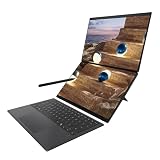
See also: Best Dual Screen Laptop for Video Editing in 2026 • Best 2-in-1 Laptop under 600 in 2026
1. Apple MacBook Pro 14 (M4 Pro) — Best Overall
- M4 Pro chip: 12-core CPU, 16-core GPU, 24GB unified memory, 512GB SSD
- 14.2-inch Liquid Retina XDR display, 3024 x 1964, ProMotion up to 120Hz
- Up to 22 hours of video playback; 3.4 lb (1.55 kg); three Thunderbolt 4 ports
- Runs AutoCAD, Fusion 360, Rhino and SketchUp natively on Apple silicon
Price: $1,599–$1,649 range, checked 11 November 2026. Check current price on Amazon
2. Lenovo ThinkPad P16 Gen 2 — Best Windows Workstation
- Intel Core i7-13700HX (16 cores), 32GB RAM, 1TB SSD, 16-inch WQXGA display (2560 x 1600)
- ISV-certified mobile workstation (model 21FA002TUS) built for CAD applications
- Full-size keyboard with number pad; MIL-STD-810H tested chassis; 6.5 lb (2.95 kg)
- Two Thunderbolt 4 ports, HDMI, and a 90Wh battery
Price: $1,789–$1,909 range, checked 11 November 2026 ($1,909 observed 9 Nov 2026). Check current price on Amazon
3. HP ZBook Firefly 14 G11 — Best HP Workstation
- AMD Ryzen 7 8840HS, 64GB DDR5 RAM, 2TB SSD, 14-inch FHD+ touchscreen
- Thunderbolt 4, IR webcam with Windows Hello, and a lightweight 3.2 lb (1.45 kg) chassis
- HP’s entry workstation line, ISV-certified for CAD and design software
- Note: the linked listing is a third-party upgraded configuration (seal opened for the memory and storage upgrade) — check current availability before you buy
Price: $1,800–$2,400 range, checked 11 November 2026 — check current price and availability. Check current price on Amazon
4. ASUS ProArt P16 — Best Creator Laptop
- AMD Ryzen AI 9 HX 370, 32GB LPDDR5X RAM, RTX 4060 graphics
- 16-inch 4K OLED touchscreen, 100% DCI-P3, stylus support for sketching and markup
- Copilot+ PC with a 50 TOPS NPU; 2TB SSD in the standard configuration
- Note: the linked listing is a third-party upgraded unit with 4TB of storage (2 x 2TB) — check the exact configuration and current availability before you buy
Price: $2,500–$2,700 range, checked 11 November 2026 ($2,699.99 observed for the upgraded 4TB unit). Check current price on Amazon
5. Microsoft Surface Laptop 7 13.8-inch — Best for Portability
- Snapdragon X Plus (10 cores), 16GB RAM, 512GB SSD, 13.8-inch PixelSense touchscreen (2304 x 1536, 120Hz)
- Up to 20 hours of video playback; 2.96 lb (1.34 kg); aluminium chassis
- Copilot+ PC with on-device AI; Wi-Fi 7; two USB-C and one USB-A port
- Best suited to 2D CAD and light 3D work — check that your CAD software has a native Arm version
Price: $850–$990 range, checked 11 November 2026 ($849.99 observed 30 Oct 2025; $988.99 observed 5 Nov 2026). Check current price on Amazon
6. Acer Swift X 14 — Best Value RTX Laptop
- Intel Core Ultra 7 155H, NVIDIA GeForce RTX 4060, 16GB LPDDR5X RAM, 1TB SSD
- 14.5-inch OLED display, 2880 x 1800, 120Hz, Calman Verified colour
- 3.4 lb (1.54 kg); 100W USB-C charging; fingerprint reader
- The cheapest way to get a current RTX 4060 in a portable 14-inch laptop
Price: $1,100–$1,500 range, checked 11 November 2026 ($1,495 observed 10 Nov 2026). Check current price on Amazon
7. MSI Creator M16 HX — Best for Heavy Rendering
- Intel Core i9-14900HX, NVIDIA GeForce RTX 4070, 32GB DDR5 RAM, 2TB NVMe SSD
- 16-inch QHD+ display (2560 x 1600), 240Hz; Cooler Boost 5 dual-fan cooling
- Full-size keyboard with number pad; 5.7 lb (2.6 kg); 90Wh battery
- The most rendering power in this guide for under $2,200
- Note: the Amazon listing was showing as currently unavailable at the time of checking — check current availability before you buy
Price: $2,000–$2,150 range, checked 11 November 2026 ($2,121.96 observed Jan 2026 — check current price). Check current price on Amazon
8. Dell XPS 14 9440 — Best Windows Ultrabook
- Intel Core Ultra 7 155H (Intel Evo), 16GB RAM, 512GB SSD, 14.5-inch FHD+ display
- CNC-machined aluminium chassis with a glass palm rest; 3.7 lb (1.68 kg)
- Best for architects and engineers who want a premium, portable Windows laptop
- Integrated Intel Arc graphics — best for 2D CAD and light 3D, not heavy rendering
Price: $1,499–$1,799 range, checked 11 November 2026 — check current price. Check current price on Amazon
Which laptop is best for CAD students?
For engineering and architecture students, the Acer Swift X 14 is the best balance of price and power: an RTX 4060, 16GB of RAM and a 1TB SSD for roughly $1,100–$1,500. If your course is mostly 2D drafting, the Surface Laptop 7 13.8″ is lighter, lasts longer on battery, and costs less. Buy 16GB of RAM as a minimum, and check your university’s software list — some courses require Windows-only tools.
Is a MacBook good for CAD?
Yes, if your software runs natively on Apple silicon. AutoCAD, Fusion 360, Rhino and SketchUp all have native Mac versions, and the M4 Pro handles them well. SolidWorks, Revit (full desktop) and several specialist engineering tools are Windows-only, so check your exact software before you buy. If your workflow is Windows-only, the ThinkPad P16 Gen 2 or HP ZBook Firefly 14 G11 is the safer choice.
Frequently asked questions
What is the best laptop for CAD in 2026?
The MacBook Pro 14 with the M4 Pro chip is the best laptop for CAD for most people in 2026. Its 24GB of unified memory, 14.2-inch Liquid Retina XDR display and all-day battery make long modelling sessions painless. Windows users should buy the Lenovo ThinkPad P16 Gen 2 instead, with its ISV-certified workstation graphics and 32GB of RAM.
How much RAM do I need for CAD?
Buy 32GB of RAM for professional CAD work, and 16GB as the absolute minimum for students and light 2D drafting. Large assemblies, rendering and simulation eat memory fast, and most thin laptops cannot be upgraded later. The ThinkPad P16 and ZBook Firefly in this guide ship with 32GB and 64GB, which is the right starting point for 2026.
Is a MacBook good for CAD?
Yes, if your CAD software runs natively on Apple silicon. AutoCAD, Fusion 360, Rhino and SketchUp all have native Mac versions that run well on the M4 Pro. SolidWorks and some specialist engineering tools are Windows-only, so check your exact software first. For pure Windows workflows, a ThinkPad P16 or ZBook is the safer buy.
Do I need a dedicated graphics card for CAD?
For 2D drafting and small models, integrated graphics are enough, and the Surface Laptop 7 proves it. For 3D modelling, rendering and large assemblies, a dedicated GPU is worth it — the RTX 4060 in the Acer Swift X and ASUS ProArt P16, or the RTX 4070 in the MSI Creator M16, cuts render times. Workstation cards add ISV certification.
What is the best budget laptop for CAD students?
The Acer Swift X 14 is the best budget CAD laptop for students, at roughly $1,100–$1,500. It pairs an Intel Core Ultra 7 processor with an RTX 4060 graphics card, 16GB of RAM and a 1TB SSD — enough for most coursework. Students on a tighter budget should consider the Surface Laptop 7 for 2D CAD.
{
“@context”: “https://schema.org”,
“@graph”: [
{
“@type”: “Article”,
“headline”: “Best Laptops for CAD 2026: 8 Top Picks for Designers”,
“description”: “Best laptops for CAD in 2026: 8 picks for architects, engineers and students — MacBook Pro, ThinkPad P16, ZBook Firefly and more, with price ranges and specs.”,
“author”: {“@type”: “Person”, “name”: “Chris Anderson”},
“datePublished”: “2026-11-11”,
“dateModified”: “2026-11-11”,
“mainEntityOfPage”: {“@type”: “WebPage”, “@id”: “https://digitaldesksolutions.com/best-laptops-for-cad/”}
},
{
“@type”: “ItemList”,
“name”: “Best Laptops for CAD 2026”,
“itemListElement”: [
{“@type”: “ListItem”, “position”: 1, “item”: {“@type”: “Product”, “name”: “Apple MacBook Pro 14 (M4 Pro)”, “url”: “https://www.amazon.com/dp/B0DLHY2BJ6?tag=dgtldesksol-20”}},
{“@type”: “ListItem”, “position”: 2, “item”: {“@type”: “Product”, “name”: “Lenovo ThinkPad P16 Gen 2”, “url”: “https://www.amazon.com/dp/B0CBG5HQFS?tag=dgtldesksol-20”}},
{“@type”: “ListItem”, “position”: 3, “item”: {“@type”: “Product”, “name”: “HP ZBook Firefly 14 G11”, “url”: “https://www.amazon.com/dp/B0G2XK2RW4?tag=dgtldesksol-20”}},
{“@type”: “ListItem”, “position”: 4, “item”: {“@type”: “Product”, “name”: “ASUS ProArt P16”, “url”: “https://www.amazon.com/dp/B0DSJJ4SPL?tag=dgtldesksol-20”}},
{“@type”: “ListItem”, “position”: 5, “item”: {“@type”: “Product”, “name”: “Microsoft Surface Laptop 7 13.8-inch”, “url”: “https://www.amazon.com/dp/B0CXKY7JYZ?tag=dgtldesksol-20”}},
{“@type”: “ListItem”, “position”: 6, “item”: {“@type”: “Product”, “name”: “Acer Swift X 14”, “url”: “https://www.amazon.com/dp/B0CZ7C1BCC?tag=dgtldesksol-20”}},
{“@type”: “ListItem”, “position”: 7, “item”: {“@type”: “Product”, “name”: “MSI Creator M16 HX”, “url”: “https://www.amazon.com/dp/B0CXYM7TT6?tag=dgtldesksol-20”}},
{“@type”: “ListItem”, “position”: 8, “item”: {“@type”: “Product”, “name”: “Dell XPS 14 9440”, “url”: “https://www.amazon.com/dp/B0CP5Z2SXS?tag=dgtldesksol-20”}}
]
},
{“@type”: “Product”, “name”: “Apple MacBook Pro 14 (M4 Pro)”, “offers”: {“@type”: “Offer”, “priceCurrency”: “USD”, “lowPrice”: 1599, “highPrice”: 1649, “availability”: “https://schema.org/InStock”, “url”: “https://www.amazon.com/dp/B0DLHY2BJ6?tag=dgtldesksol-20”}},
{“@type”: “Product”, “name”: “Lenovo ThinkPad P16 Gen 2”, “offers”: {“@type”: “Offer”, “priceCurrency”: “USD”, “lowPrice”: 1789, “highPrice”: 1909, “availability”: “https://schema.org/InStock”, “url”: “https://www.amazon.com/dp/B0CBG5HQFS?tag=dgtldesksol-20”}},
{“@type”: “Product”, “name”: “HP ZBook Firefly 14 G11”, “offers”: {“@type”: “Offer”, “priceCurrency”: “USD”, “lowPrice”: 1800, “highPrice”: 2400, “availability”: “https://schema.org/OutOfStock”, “url”: “https://www.amazon.com/dp/B0G2XK2RW4?tag=dgtldesksol-20”}},
{“@type”: “Product”, “name”: “ASUS ProArt P16”, “offers”: {“@type”: “Offer”, “priceCurrency”: “USD”, “lowPrice”: 2500, “highPrice”: 2700, “availability”: “https://schema.org/OutOfStock”, “url”: “https://www.amazon.com/dp/B0DSJJ4SPL?tag=dgtldesksol-20”}},
{“@type”: “Product”, “name”: “Microsoft Surface Laptop 7 13.8-inch”, “offers”: {“@type”: “Offer”, “priceCurrency”: “USD”, “lowPrice”: 850, “highPrice”: 990, “availability”: “https://schema.org/InStock”, “url”: “https://www.amazon.com/dp/B0CXKY7JYZ?tag=dgtldesksol-20”}},
{“@type”: “Product”, “name”: “Acer Swift X 14”, “offers”: {“@type”: “Offer”, “priceCurrency”: “USD”, “lowPrice”: 1100, “highPrice”: 1500, “availability”: “https://schema.org/InStock”, “url”: “https://www.amazon.com/dp/B0CZ7C1BCC?tag=dgtldesksol-20”}},
{“@type”: “Product”, “name”: “MSI Creator M16 HX”, “offers”: {“@type”: “Offer”, “priceCurrency”: “USD”, “lowPrice”: 2000, “highPrice”: 2150, “availability”: “https://schema.org/OutOfStock”, “url”: “https://www.amazon.com/dp/B0CXYM7TT6?tag=dgtldesksol-20”}},
{“@type”: “Product”, “name”: “Dell XPS 14 9440”, “offers”: {“@type”: “Offer”, “priceCurrency”: “USD”, “lowPrice”: 1499, “highPrice”: 1799, “availability”: “https://schema.org/InStock”, “url”: “https://www.amazon.com/dp/B0CP5Z2SXS?tag=dgtldesksol-20”}}
]
}
{
“@context”: “https://schema.org”,
“@type”: “FAQPage”,
“mainEntity”: [
{“@type”: “Question”, “name”: “What is the best laptop for CAD in 2026?”, “acceptedAnswer”: {“@type”: “Answer”, “text”: “The MacBook Pro 14 with the M4 Pro chip is the best laptop for CAD for most people in 2026. Its 24GB of unified memory, 14.2-inch Liquid Retina XDR display and all-day battery make long modelling sessions painless. Windows users should buy the Lenovo ThinkPad P16 Gen 2 instead, with its ISV-certified workstation graphics and 32GB of RAM.”}},
{“@type”: “Question”, “name”: “How much RAM do I need for CAD?”, “acceptedAnswer”: {“@type”: “Answer”, “text”: “Buy 32GB of RAM for professional CAD work, and 16GB as the absolute minimum for students and light 2D drafting. Large assemblies, rendering and simulation eat memory fast, and most thin laptops cannot be upgraded later. The ThinkPad P16 and ZBook Firefly in this guide ship with 32GB and 64GB, which is the right starting point for 2026.”}},
{“@type”: “Question”, “name”: “Is a MacBook good for CAD?”, “acceptedAnswer”: {“@type”: “Answer”, “text”: “Yes, if your CAD software runs natively on Apple silicon. AutoCAD, Fusion 360, Rhino and SketchUp all have native Mac versions that run well on the M4 Pro. SolidWorks and some specialist engineering tools are Windows-only, so check your exact software first. For pure Windows workflows, a ThinkPad P16 or ZBook is the safer buy.”}},
{“@type”: “Question”, “name”: “Do I need a dedicated graphics card for CAD?”, “acceptedAnswer”: {“@type”: “Answer”, “text”: “For 2D drafting and small models, integrated graphics are enough, and the Surface Laptop 7 proves it. For 3D modelling, rendering and large assemblies, a dedicated GPU is worth it — the RTX 4060 in the Acer Swift X and ASUS ProArt P16, or the RTX 4070 in the MSI Creator M16, cuts render times. Workstation cards add ISV certification.”}},
{“@type”: “Question”, “name”: “What is the best budget laptop for CAD students?”, “acceptedAnswer”: {“@type”: “Answer”, “text”: “The Acer Swift X 14 is the best budget CAD laptop for students, at roughly $1,100–$1,500. It pairs an Intel Core Ultra 7 processor with an RTX 4060 graphics card, 16GB of RAM and a 1TB SSD — enough for most coursework. Students on a tighter budget should consider the Surface Laptop 7 for 2D CAD.”}}
]
}