Last Updated: October 13, 2026
- Top 3 Picks
- Quick Comparison
- How We Chose
- 1. Lenovo Chromebook 300e 2nd Gen (Renewed) – Best for Classroom-Style Basics
- 2. Dell Chromebook 11 3100 2-in-1 (Renewed) – Best for a Durable Student Chromebook
- 3. Tunhail 10.1″ 2-in-1 Laptop – Best for Very Small Windows Tablet-Style Use
- 4. Dell Latitude 5300 2-in-1 (16GB, 256GB) – Best for Light Business Windows Use
- 5. HP Pro x360 Fortis 11 G9 (Renewed) – Best for Rugged School or Field Use
- 6. Dell Latitude 5300 2-in-1 (16GB, 512GB) – Best for Windows Multitasking with Storage
- 7. HP ProBook x360 11 G5 EE (Renewed) – Best for Education-Oriented Windows
- 8. HP ProBook x360 11 G2 (Renewed) – Best for More RAM in a Compact Body
- 9. Lenovo Chromebook 300e 2-in-1 (AMD) – Best for an Affordable Chrome OS Convertible
- 10. Dell 14 2-in-1 Laptop (Ryzen 7 8840HS) – Best All-Round Modern Pick
- How to Choose a 2-in-1 Laptop on a Tight Budget
- Chromebook or Windows Convertible: Which Fits You?
- Buying a Renewed Laptop: A Short Checklist
- Safety and Maintenance for Older Batteries
- Display, Hinge and Port Details Worth Checking
- Frequently Asked Questions
- Our Recommendation by Situation
The best 2-in-1 laptop in this group for most buyers is the Dell 14 2-in-1 with an AMD Ryzen 7 8840HS, 16GB of RAM, a FHD+ touchscreen and Windows 11 Home. It is the only newer-generation, full-size machine in the list, and it pairs an eight-core processor with a 14-inch 16:10 display, so it handles dozens of browser tabs, video calls, photo editing and light creative work without the compromises that define the small, older models around it. Shoppers who need a classroom-style or travel-friendly basic machine will do better with the Lenovo Chromebook 300e 2-in-1 or one of the other 11.6-inch convertibles, and anyone who wants a business-grade Windows laptop with a roomy SSD should look at the Dell Latitude 5300 2-in-1 with 512GB. Ten listings follow, covering Chromebooks, rugged education laptops, a refurbished business class and one modern flagship-style option, so you can match hardware to what you actually do every day.
📄 In This Review
- Top 3 Picks
- Quick Comparison
- How We Chose
- 1. Lenovo Chromebook 300e 2nd Gen (Renewed) – Best for Classroom-Style Basics
- 2. Dell Chromebook 11 3100 2-in-1 (Renewed) – Best for a Durable Student Chromebook
- 3. Tunhail 10.1" 2-in-1 Laptop – Best for Very Small Windows Tablet-Style Use
- 4. Dell Latitude 5300 2-in-1 (16GB, 256GB) – Best for Light Business Windows Use
- 5. HP Pro x360 Fortis 11 G9 (Renewed) – Best for Rugged School or Field Use
- 6. Dell Latitude 5300 2-in-1 (16GB, 512GB) – Best for Windows Multitasking with Storage
- 7. HP ProBook x360 11 G5 EE (Renewed) – Best for Education-Oriented Windows
- 8. HP ProBook x360 11 G2 (Renewed) – Best for More RAM in a Compact Body
- 9. Lenovo Chromebook 300e 2-in-1 (AMD) – Best for an Affordable Chrome OS Convertible
- 10. Dell 14 2-in-1 Laptop (Ryzen 7 8840HS) – Best All-Round Modern Pick
- How to Choose a 2-in-1 Laptop on a Tight Budget
- Chromebook or Windows Convertible: Which Fits You?
- Buying a Renewed Laptop: A Short Checklist
- Safety and Maintenance for Older Batteries
- Display, Hinge and Port Details Worth Checking
- Frequently Asked Questions
- Our Recommendation by Situation
Quick answer: For most people in 2026, the best 2 is the Lenovo Chromebook 300e 2nd Gen (Renewed) — our #1 rated choice. See the full ranked comparison, alternatives and buying advice below.
Top 3 Picks
Best overall: Dell 14 2-in-1 (Ryzen 7 8840HS, 16GB RAM, FHD+). An eight-core, sixteen-thread processor with integrated Radeon graphics, a 14-inch touch display and a current Windows 11 Home install make this the most capable and future-proof option here. It suits students, remote workers and families who want one laptop that also folds into a tablet.

Lenovo Chromebook 300e 2nd Gen 2-in-1 11.6" Touch 4GB 32GB X2 1.1GHz, Black (Renewed)
Included for 'Best 2-in-1 Laptop under 600 in 2026' because the listing specifies Black (Renewed), details this guide uses to compare options.
View on Amazon
Dell Chromebook 11 3100 2-in-1 11.6" Touchscreen Laptop Computer, Celeron N4000, 4GB RAM, 32GB eMMC, Type-C, Chrome OS (Renewed)
Included for 'Best 2-in-1 Laptop under 600 in 2026' because the listing specifies Celeron N4000 and 4GB RAM, details this guide uses to compare options.
View on Amazon
Tunhail 10.1 2 in 1 inch Laptop 12GB RAM 256GB SSD, 360°Flip Touchscreen Laptop with m3-8100Y(Up to 3.40 GH) 800 * 1280 IPS FHD, Backlit Keyboard Laptop Computer for Students/Commuters/Business
Included for 'Best 2-in-1 Laptop under 600 in 2026' as a relevant option in this category; details come from the product listing.
View on Amazon
Dell Latitude 5300 2-in-1 13.3" FHD Touchscreen Laptop, 8th Gen Intel Core i7-8665U, 16GB DDR4 RAM 256GB SSD, Type-C, HDMI, Windows 11 Pro (Renewed)
Included for 'Best 2-in-1 Laptop under 600 in 2026' because the listing specifies 8th Gen Intel Core i7-8665U and 16GB DDR4 RAM 256GB SSD, details this guide uses to compare options.
View on Amazon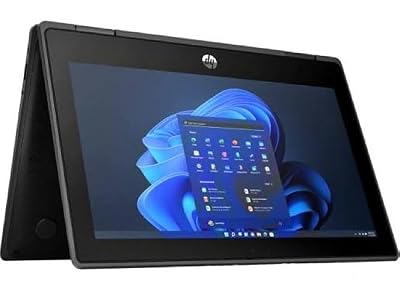
HP Pro x360 Fortis 11 G9-11.6-inch 2-in-1 Touchscreen Laptop - Intel Celeron N4500, 4GB RAM, 128GB SSD, Windows 11 Pro (Renewed)
Included for 'Best 2-in-1 Laptop under 600 in 2026' because the listing specifies Intel Celeron N4500 and 4GB RAM, details this guide uses to compare options.
View on Amazon
Dell Latitude 5300 2-in-1 Touchscreen Laptop – Intel Core i7 8th Gen, 16GB RAM, 512GB SSD, FHD 1080p Display, Backlit Keyboard, Windows 11 Pro – Lightweight Business Convertible Notebook (Renewed)
Included for 'Best 2-in-1 Laptop under 600 in 2026' because the listing specifies Intel Core i7 8th Gen and 16GB RAM, details this guide uses to compare options.
View on Amazon
HP ProBook x360 11 G5 EE - 11.6" 2-in-1 Touch Convertible Laptop, Intel Celeron N4020, 4GB RAM, 128GB SSD, Windows 11 Pro (Renewed)
Included for 'Best 2-in-1 Laptop under 600 in 2026' because the listing specifies 11.6" 2-in-1 Touch Convertible Laptop and Intel Celeron N4020, details this guide uses to compare options.
View on Amazon
HP ProBook X360 11 G2 2-in-1 Touchscreen Laptop, Intel Core M3-7Y30, 8GB RAM, 128GB SSD, 11.6 Inch, Windows 11 Pro (Renewed) (256, GB)
Included for 'Best 2-in-1 Laptop under 600 in 2026' because the listing specifies Intel Core M3-7Y30 and 8GB RAM, details this guide uses to compare options.
View on Amazon
Lenovo Chromebook 300e 2-in-1 Convertible Laptop in Black AMD Processor up to 2.4Ghz 32GB eMMC 4GB DDR4 11.6in IPS Touchscreen BT Dual Webcam HDMI (Renewed)
Included for 'Best 2-in-1 Laptop under 600 in 2026' as a relevant option in this category; details come from the product listing.
View on Amazon
Dell 14 2-in-1 Laptop, FHD+, AMD Ryzen 7 8840HS, 16GB RAM, Windows 11 Home
Included for 'Best 2-in-1 Laptop under 600 in 2026' because the listing specifies FHD+ and AMD Ryzen 7 8840HS, details this guide uses to compare options.
View on AmazonBest budget-minded pick: Lenovo Chromebook 300e 2-in-1 (AMD, 4GB, 32GB). It runs Chrome OS, which is light on hardware, and its 11.6-inch IPS touchscreen, dual webcams and convertible hinge make it a solid learning and browsing device. It is the simplest and most affordable-class route to a touch convertible.
Best for Windows productivity: Dell Latitude 5300 2-in-1 (Core i7, 16GB RAM, 512GB SSD). A 13.3-inch Full HD touchscreen, an 8th-generation quad-core processor and a large SSD give it comfortable headroom for office software, accounting tools and multitasking. It is a business laptop first, so expect sturdy build and a practical port selection.
Quick Comparison
| Product | Best for | Key specs (per listing) |
|---|---|---|
| Lenovo Chromebook 300e 2nd Gen (Renewed) | Classroom-style basics | 11.6″ touch, 4GB RAM, 32GB, Chrome OS, 1.1GHz-class processor |
| Dell Chromebook 11 3100 2-in-1 (Renewed) | Durable student Chromebook | 11.6″ touch, Celeron N4000, 4GB RAM, 32GB eMMC, USB-C |
| Tunhail 10.1″ 2-in-1 | Very small Windows tablet-style use | 10.1″ 800 x 1280 IPS, m3-8100Y, 12GB RAM, 256GB SSD, backlit keyboard |
| Dell Latitude 5300 2-in-1 (256GB) | Light business Windows use | 13.3″ FHD touch, Core i7-8665U, 16GB RAM, 256GB SSD, Type-C, HDMI |
| HP Pro x360 Fortis 11 G9 (Renewed) | Rugged school or field use | 11.6″ touch, Celeron N4500, 4GB RAM, 128GB SSD, Windows 11 Pro |
| Dell Latitude 5300 2-in-1 (512GB) | Windows multitasking with storage | 13.3″ FHD touch, Core i7 8th gen, 16GB RAM, 512GB SSD, backlit keyboard |
| HP ProBook x360 11 G5 EE (Renewed) | Education-oriented Windows | 11.6″ touch, Celeron N4020, 4GB RAM, 128GB SSD, Windows 11 Pro |
| HP ProBook x360 11 G2 (Renewed) | More RAM in a compact body | 11.6″ touch, Core m3-7Y30, 8GB RAM, 128GB SSD (256GB noted in listing) |
| Lenovo Chromebook 300e 2-in-1 (AMD) | Affordable Chrome OS convertible | 11.6″ IPS touch, AMD processor up to 2.4GHz, 4GB DDR4, 32GB eMMC, dual webcams |
| Dell 14 2-in-1 | Best all-round modern pick | 14″ FHD+, Ryzen 7 8840HS, 16GB RAM, Windows 11 Home |
How We Chose
This ranking comes from desk research, not from handling the machines. We started with the ten listings and read what each states about screen size, processor, memory, storage, operating system and condition. We then checked manufacturer documentation and well-established facts about each processor family, such as core counts, typical clock behavior and Windows 11 support rules. We weighed five practical criteria: processing headroom for everyday multitasking, memory and storage that make sense for the operating system, display size and touch support, durability and portability for the intended user, and how long the platform is likely to receive software updates. Because many listings are marked renewed, we also factored in the extra checks a refurbished buyer should do, including battery health and warranty terms. Where a listing leaves a detail unstated, we say so and recommend confirming it on the product page.
1. Lenovo Chromebook 300e 2nd Gen (Renewed) – Best for Classroom-Style Basics
As an Amazon Associate we earn from qualifying purchases at no extra cost to you.

This renewed Lenovo 300e is built around the education Chromebook formula: a compact 11.6-inch touch display, a convertible hinge that folds the screen flat, 4GB of RAM and 32GB of storage. It runs Chrome OS, which means web apps, Google Workspace, streaming video and Android apps from the Play Store are the main workload. The listing mentions an X2 1.1GHz processor class, which points to a modest low-power chip, so expect everyday web and document work rather than demanding multitasking.
Who it suits: students, kids, seniors and anyone who wants a secondary couch or kitchen device. Because Chrome OS is simple and updates itself in the background, it needs little maintenance.
Key specs from the listing
- 11.6-inch touchscreen, 2-in-1 convertible
- 4GB RAM, 32GB storage
- Chrome OS, black finish
- Renewed condition, so battery wear and cosmetic marks are possible
Strengths
Chrome OS needs far fewer resources than Windows, so 4GB of RAM is workable for a handful of tabs and a document. Touch support and tablet mode make it comfortable for reading and note taking. Most education Chromebooks are designed to withstand backpack life, with reinforced corners and spill-resistant keyboards, though you should confirm the exact features of this renewed unit.
Pros and Cons
Pros
- Light, simple operating system with automatic updates
- Touchscreen and tablet mode for reading and drawing
- Small footprint and easy to carry
- Good fit for web-based schoolwork and streaming
Cons
- Only 32GB of storage, shared with the operating system
- No traditional Windows software support
- Modest processor limits heavy tab counts and video editing
- Renewed means variable battery health, so check the return and warranty terms
- Check Google’s auto-update expiration date for this model before relying on it for years
Before you buy: Renewed Chromebooks are often retired school or fleet devices, so look for a stated warranty, a return window and a clear description of the battery. Some fleet units are enrolled in an administrator’s management system and cannot be used as a personal device until released, so ask the seller whether the unit is free of enterprise enrollment. Also check Google’s published update schedule for this model so you know how many years of security updates remain.
Versus the nearest alternative: The Lenovo 300e with an AMD processor is the closest sibling in the list and, per its listing, offers a faster-clocked chip and is not marked renewed. The renewed model is the choice only if its condition and warranty are good and you do not need more speed.
2. Dell Chromebook 11 3100 2-in-1 (Renewed) – Best for a Durable Student Chromebook

The Dell Chromebook 11 3100 2-in-1 is a classic education convertible. The listing names an 11.6-inch touchscreen, an Intel Celeron N4000 processor, 4GB of RAM, 32GB of eMMC storage, a Type-C port and Chrome OS. The N4000 is a dual-core Intel chip from the Gemini Lake generation designed for low power, so battery life is respectable and the laptop stays cool, but heavy multitasking is outside its comfort zone.
Who it suits: school-age users, parents buying a first laptop and offices that need cheap, replaceable shared devices. Dell positions this line for education with a durable design, so it is a sensible choice if the laptop will travel in a backpack.
Key specs from the listing
| Spec | Detail |
|---|---|
| Display | 11.6-inch touchscreen, convertible |
| Processor | Intel Celeron N4000 |
| Memory and storage | 4GB RAM, 32GB eMMC |
| Ports | Type-C and others (confirm on product page) |
| OS and condition | Chrome OS, renewed |
Strengths
Chrome OS uses verified boot and sandboxing, and updates install quietly. A USB-C port lets you charge and connect displays or accessories with the right cable. The 2-in-1 hinge allows tent and stand modes for watching video or sharing the screen across a table.
Pros and Cons
Pros
- Proven education-focused design
- USB-C for charging and accessories
- Low heat and quiet operation
- Simple security model for non-technical users
Cons
- Dual-core N4000 can feel slow with many tabs
- 32GB eMMC fills up quickly if you use Android apps or Linux
- Renewed unit, so inspect battery health after arrival
- Confirm the Chrome OS auto-update expiration date on Google’s support page
Before you buy: The same fleet-enrollment question applies here, and it matters more than the cosmetic grade of the shell. Ask whether the Chromebook is released from any school or business management, and look at photos of the hinge, the corners and the keyboard. Because the hinge carries the touchscreen through every flip, a loose or noisy hinge on a renewed unit is a warning sign worth a return. A useful habit with any Chromebook this size is to keep large files in cloud storage and use the small internal drive only for working copies, which keeps performance steady as the drive fills.
Versus the nearest alternative: The Lenovo 300e 2nd Gen is nearly identical in size, RAM and storage. Choose Dell if you prefer its keyboard and USB-C layout, and Lenovo if you prefer the sibling model’s build. The AMD-powered Lenovo 300e in the list is the faster pick of the Chrome OS group.
3. Tunhail 10.1″ 2-in-1 Laptop – Best for Very Small Windows Tablet-Style Use
The Tunhail stands apart because it is only 10.1 inches, yet its listing promises 12GB of RAM, a 256GB SSD, a 360-degree flip touchscreen, a backlit keyboard and an Intel Core m3-8100Y processor with turbo up to 3.4GHz. The m3-8100Y is a low-power, dual-core, four-thread Intel part from the 8th generation Y-series, designed for thin, fanless devices. The listing describes an 800 x 1280 IPS display, which is a portrait-native tablet-style panel; note that 800 x 1280 is below what most people consider full HD, even though the listing text uses the FHD label, so confirm the resolution on the product page.
Who it suits: travelers who want a very small Windows device for email, notes, remote desktop sessions and media. It is not meant to replace a full-size laptop.
Key specs from the listing
- 10.1-inch IPS touchscreen, 360-degree flip
- Intel Core m3-8100Y, up to 3.4GHz
- 12GB RAM, 256GB SSD
- 800 x 1280 resolution, about 149 pixels per inch by calculation
- Backlit keyboard
Strengths
The RAM and storage are generous compared with other small convertibles in the list, which means Windows and a few everyday programs have room to breathe. The compact size fits into small bags and works on cramped airplane tray tables. A backlit keyboard is a rare extra in this size class.
Pros and Cons
Pros
- 12GB RAM and 256GB SSD in a very small body
- Full Windows software support, subject to the version shipped
- 360-degree flip for tablet and tent use
- Backlit keyboard
Cons
- 10.1-inch screen is small for long work sessions
- Lower-power dual-core processor limits heavy tasks
- Lesser-known brand, so check warranty, support and operating system details
- Portrait-native panel can look unusual in landscape
Before you buy: With a lesser-known brand, the product page matters more than usual. Confirm the real display resolution, the Windows edition and activation status, the battery capacity, the charging method and what warranty or return policy the seller offers. A small convertible like this is best treated as a secondary device, so compare it against a used 11.6-inch business laptop from a major brand if you want long-term support.
Versus the nearest alternative: The HP ProBook x360 11 G2 is the closest rival in processor class and offers an 11.6-inch screen. The Tunhail has more RAM and storage on paper, while the HP comes from a major brand with business-grade design. If you want a larger screen, step up to the Dell Latitude 5300 2-in-1.
4. Dell Latitude 5300 2-in-1 (16GB, 256GB) – Best for Light Business Windows Use

The Latitude 5300 2-in-1 is a business convertible with a 13.3-inch Full HD touchscreen and an 8th-generation Intel Core i7-8665U, a quad-core, eight-thread low-power processor that is a big step up from the Celeron-class chips elsewhere in the list. This listing includes 16GB of DDR4 memory, a 256GB SSD, Type-C and HDMI connections and Windows 11 Pro. The Latitude series is designed for office fleets, so the chassis, hinge and port layout tend to be practical rather than flashy.
Who it suits: professionals, small-business owners and students who need real Windows software, such as accounting suites, remote desktop clients, CAD viewers or Microsoft Office with many open documents. This is a pre-owned class of laptop, so check the condition described on the product page.
Key specs from the listing
- 13.3-inch FHD touchscreen (1920 x 1080), 360-degree convertible
- Intel Core i7-8665U, 8th generation
- 16GB DDR4 RAM, 256GB SSD
- Type-C and HDMI ports, Windows 11 Pro
Strengths
Sixteen gigabytes of RAM is the standout, since it comfortably supports lots of browser tabs plus office apps. The processor is on Microsoft’s supported list for Windows 11. Dell business laptops typically offer user-serviceable parts such as the SSD and memory, which extends the lifespan of the machine. Pen support is available in this model family, but confirm whether a stylus is included.
Pros and Cons
Pros
- Quad-core processor with 16GB RAM for real multitasking
- 13.3-inch Full HD touch display with a good tablet mode
- Business-oriented ports including HDMI and Type-C
- Windows 11 Pro for domain and security features
Cons
- Older platform; the battery has likely seen wear
- Only 256GB of storage, which fills up faster than the 512GB sibling
- Heavier and larger than the 11.6-inch models
- Condition and warranty vary by seller
Before you buy: Business laptops are often sold after lease returns, so read the condition note carefully. Ask for battery health, check that the touchscreen responds across the whole panel and that the hinge holds the screen in tent mode. The 16GB of memory is the headline, but it is only useful if the laptop is stable, so a seller that offers a return window and a warranty is worth more than a marginally better cosmetic grade.
Versus the nearest alternative: The 512GB Latitude 5300 in the list has the same class of hardware with more storage. Pick this 256GB model if you store most files in the cloud and want the lowest spend on the same machine; otherwise the 512GB unit leaves more breathing room. Against the Dell 14 2-in-1 with Ryzen 7, the Latitude is older but built for business durability.
5. HP Pro x360 Fortis 11 G9 (Renewed) – Best for Rugged School or Field Use
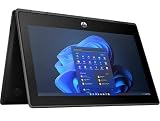
The Fortis line is HP’s education and field-oriented rugged convertible. This renewed 11.6-inch G9 model lists an Intel Celeron N4500 processor, 4GB of RAM, a 128GB SSD and Windows 11 Pro. The N4500 is a dual-core Jasper Lake chip with a modest turbo speed, which handles web browsing, document editing and video calls without drama but will struggle with heavy workloads or many simultaneous applications.
Who it suits: schools, field workers and parents of kids who treat laptops roughly. HP positions the Fortis family around durability features such as reinforced corners and spill-resistant keyboards; confirm the exact certifications of the renewed unit on the product page.
Key specs from the listing
| Spec | Detail |
|---|---|
| Display | 11.6-inch touchscreen, 2-in-1 |
| Processor | Intel Celeron N4500 |
| Memory and storage | 4GB RAM, 128GB SSD |
| OS | Windows 11 Pro |
| Condition | Renewed |
Strengths
The N4500 is a newer chip than the N4000 and N4020 used in other small convertibles, and a 128GB SSD is larger and faster than 32GB eMMC storage. Windows 11 Pro supports BitLocker encryption and domain join if you need them. A rugged-leaning chassis can be worth the weight if the laptop travels through a school day.
Pros and Cons
Pros
- Newer low-power processor than most 11.6-inch rivals
- 128GB SSD with room for Windows and apps
- Rugged education pedigree
- Full Windows software compatibility
Cons
- 4GB RAM is tight for Windows 11 with many tabs
- Small screen limits multitasking comfort
- Renewed condition requires battery and warranty checks
- Rugged builds tend to be heavier and thicker
Before you buy: Because a rugged chassis is the point of this model, inspect photos for dents in the bumper corners and confirm the rubberized edges are intact. Ask whether the 4GB of RAM is upgradeable or soldered, since that decides whether the machine can grow with you. If you need the laptop for a child, check that the ports and charger match what you already own. Think about the charger, too: rugged education laptops often ship with a compact adapter, and a lost charger on a renewed unit can be awkward to replace, so confirm one is in the box.
Versus the nearest alternative: The HP ProBook x360 11 G5 EE is a sibling with an older N4020 processor and the same 4GB and 128GB configuration. The Fortis G9 is the newer, more durable-leaning choice. If you prefer a lighter Chrome OS device and your work is web-based, the Chromebooks above are simpler.
6. Dell Latitude 5300 2-in-1 (16GB, 512GB) – Best for Windows Multitasking with Storage

This listing is the roomier version of the Latitude 5300 2-in-1: Intel Core i7 8th generation, 16GB of RAM, a 512GB SSD, a Full HD 1080p display, a backlit keyboard and Windows 11 Pro. If the 256GB model is the lean option, this is the comfortable one. A half-terabyte drive holds Windows, a full set of office programs, a few large project folders and a local photo library without constant cleanup.
Who it suits: consultants, accountants, hybrid workers and students in programs that require specialized Windows software. The backlit keyboard helps in dim environments like trains, lecture halls and evening couch sessions.
Key specs from the listing
- 13.3-inch-class Full HD touch 2-in-1 (confirm on product page)
- Intel Core i7, 8th generation
- 16GB RAM, 512GB SSD
- Backlit keyboard, Windows 11 Pro
Strengths
The extra storage reduces the temptation to rely on external drives. With 16GB of RAM and a quad-core processor, virtual machines for light lab work, large spreadsheets and multi-window layouts remain responsive. The convertible hinge allows annotating PDFs in tablet mode, which suits reviewers and teachers.
Pros and Cons
Pros
- Large 512GB SSD for apps and files
- 16GB RAM for multitasking
- Backlit keyboard and Full HD touch display
- Windows 11 Pro features for security and management
Cons
- Older generation platform with likely worn battery
- Heavier than 11.6-inch convertibles
- Integrated graphics are fine for office work, not for demanding games
- Listing wording is generic, so verify condition and warranty details
Before you buy: Check the SSD health indicator and the battery report after arrival. On Windows you can run a battery report from the command prompt, and it will show design capacity versus current full-charge capacity, which tells you how worn the battery is. If the capacity has dropped well below the original, ask the seller about a replacement, because the battery is the main aging part on a laptop of this generation. If you plan to dock the laptop at a desk, check which video outputs and USB-C features are present, since an HDMI port and a Type-C port make a two-monitor setup straightforward without extra hubs.
Versus the nearest alternative: The 256GB Latitude is the same family with less storage. The Dell 14 2-in-1 with Ryzen 7 is newer and faster on paper, and may be the better long-term pick if its configuration fits your budget, while this Latitude emphasizes business-grade design and a rich port mix.
7. HP ProBook x360 11 G5 EE (Renewed) – Best for Education-Oriented Windows

The ProBook x360 11 G5 EE is an education-edition convertible with an 11.6-inch touchscreen, an Intel Celeron N4020 processor, 4GB of RAM, a 128GB SSD and Windows 11 Pro, per the renewed listing. The N4020 is a dual-core chip from the Gemini Lake Refresh family, aimed at low-power, low-heat laptops. It manages web apps, document editing and video lessons, though performance dips with a lot of background tasks.
Who it suits: families and schools that need a Windows device for classroom software and online exam platforms that require a Windows or browser environment. The EE in the name stands for Education Edition, which signals durability and manageability goals.
Key specs from the listing
- 11.6-inch touch convertible
- Intel Celeron N4020, 4GB RAM
- 128GB SSD, Windows 11 Pro
- Renewed
Strengths
Solid-state storage makes startup and app launches quicker than eMMC. The design is built around portability, and an 11.6-inch screen can fit onto crowded school desks. Keep expectations modest and treat it as a document and web machine.
Pros and Cons
Pros
- 128GB SSD, larger than the Chromebooks’ 32GB
- Windows software compatibility
- Compact and portable
- Education-oriented design
Cons
- 4GB RAM can bottleneck Windows 11 multitasking
- Older, slower processor than the Fortis G9’s N4500
- Renewed battery wear and cosmetic wear are possible
- Small display for long productivity sessions
Before you buy: Education laptops are sometimes pre-loaded with management software. Make sure the Windows installation is clean, activated and not locked to a former owner’s organization. Open Settings after setup, run Windows Update fully, and look for pending driver updates so the touchscreen, trackpad and Wi-Fi behave properly. If any of these steps fail, use the return window. Because dual-core Celeron systems respond best to a tidy install, avoid piling on startup programs, and use a lightweight browser profile with only the extensions you truly need.
Versus the nearest alternative: The Fortis G9 has a newer N4500 chip at the same RAM and SSD level and is the better pick if both are available in good condition. The ProBook x360 11 G2 offers 8GB of RAM, which helps with multitasking even though its processor is older.
8. HP ProBook x360 11 G2 (Renewed) – Best for More RAM in a Compact Body

The ProBook x360 11 G2 stands out because it combines an 11.6-inch touchscreen with 8GB of RAM and a 128GB SSD, with the listing noting a 256GB option. Its Intel Core m3-7Y30 processor is a 7th-generation, dual-core, low-power Y-series chip designed for thin and often fanless laptops. The extra memory is the real advantage, since 8GB lets Windows keep more tabs and applications active than the 4GB models.
Who it suits: light multitaskers who like compact convertibles and want a bit more memory headroom for a dozen browser tabs and a document or two.
Key specs from the listing
- 11.6-inch touchscreen convertible
- Intel Core m3-7Y30, 7th generation
- 8GB RAM, 128GB SSD (a 256GB variant is mentioned in the listing)
- Windows 11 Pro, renewed
Strengths
Eight gigabytes of RAM is the highest in the 11.6-inch Windows group. Y-series processors run cool and are often silent. An important caveat: Microsoft’s official Windows 11 processor list generally starts at 8th-generation Intel Core chips, so a 7th-generation Core m3 sits outside the officially supported group. The listing says Windows 11 Pro is installed, so verify how it is licensed, whether Windows Update works properly and what the seller’s support terms are. Windows 10 stopped receiving routine support in October 2025, so this point matters for security.
Pros and Cons
Pros
- 8GB RAM in a small chassis
- Silent, low-heat processor design
- Compact convertible with Windows software support
- Possible 256GB storage option
Cons
- 7th-generation processor falls outside Microsoft’s official Windows 11 support list
- Dual-core performance is limited for heavy tasks
- Renewed battery and cosmetic condition vary
- Confirm the storage size you are actually receiving
Before you buy: Read the exact storage line, because the listing mentions both 128GB and 256GB. Confirm which one you will receive, how Windows 11 was installed and whether the seller supports updates. If you want an officially supported Windows 11 machine for years, choose one of the 8th-generation or newer models in this list instead of relying on a workaround.
Versus the nearest alternative: Compared with the G5 EE and Fortis, this model has more memory but an older processor generation. If long-term Windows 11 update support is a priority, the Fortis G9 or the Latitude 5300 models are safer; if memory for multitasking matters most and you accept the update caveat, this model is attractive.
9. Lenovo Chromebook 300e 2-in-1 (AMD) – Best for an Affordable Chrome OS Convertible

This Lenovo 300e is a newer-generation Chrome OS convertible. The listing names an AMD processor with speeds up to 2.4GHz, 4GB of DDR4 memory, 32GB of eMMC storage, an 11.6-inch IPS touchscreen, Bluetooth and dual webcams. The two cameras, one facing the user and one facing the world, are useful for classroom projects, scanning documents and video calls. An IPS panel keeps colors consistent at wider viewing angles, which helps when the screen is tilted in tent mode.
Who it suits: students and families seeking an inexpensive touch device for web apps, schoolwork, streaming and video chat. It also suits secondary-device roles such as kitchen, travel or guest laptops.
Key specs from the listing
- 11.6-inch IPS touchscreen, convertible
- AMD processor up to 2.4GHz
- 4GB DDR4 RAM, 32GB eMMC
- Bluetooth, dual webcams, Chrome OS
Strengths
The AMD chip should feel quicker than the lower-clocked processors on the renewed Chromebooks, and the listing does not mark it as renewed. Chrome OS supports Android apps and a Linux development environment on many models, though 32GB of storage limits how much of either you can install. Automatic updates and strong sandboxing make it easy to maintain.
Pros and Cons
Pros
- IPS touchscreen and 2-in-1 hinge
- Two webcams for flexible video use
- Newer processor than the renewed Chromebooks
- Low maintenance Chrome OS
Cons
- 32GB storage fills quickly with apps and downloads
- 4GB RAM limits heavy multitasking
- No native Windows software
- Check the update expiration date for your model on Google’s support page
Before you buy: Look up the exact model on Google’s auto-update policy page to see the expiration month, because that date determines how long the laptop receives security updates. Confirm that the listing’s processor matches what the device reports in its settings after setup. Then enable Google’s backup options so a lost or damaged laptop does not cost you your files. Dual webcams also make it easy to photograph a worksheet or a whiteboard with the rear-facing camera and attach it to an assignment, a small convenience that younger students tend to appreciate.
Versus the nearest alternative: It is the better Chromebook choice than the 2nd Gen and Dell 3100 listings if you value processing speed and condition. The Windows alternatives above offer more storage and software compatibility but also more maintenance. For a very simple device, this is the easiest in the list to live with.
10. Dell 14 2-in-1 Laptop (Ryzen 7 8840HS) – Best All-Round Modern Pick

This is the most powerful machine in the roundup. The Dell 14 2-in-1 lists a FHD+ display, an AMD Ryzen 7 8840HS processor, 16GB of RAM and Windows 11 Home. The 8840HS is an eight-core, sixteen-thread mobile chip with Radeon 780M-class integrated graphics, which is strong enough for light video editing, casual gaming at modest settings, development tools and everyday multitasking. FHD+ means 1920 x 1200 at 14 inches, a 16:10 panel with more vertical space than a 16:9 screen.
Who it suits: students, professionals and families who want one laptop that does everything and also doubles as a tablet for notes and sketching. It is the only modern, full-performance device here, so it stands out for longevity.
Key specs from the listing
- 14-inch 2-in-1, FHD+ display
- AMD Ryzen 7 8840HS
- 16GB RAM, Windows 11 Home
- Check storage size, battery capacity and port selection on the product page
Strengths
Dell’s comparable 14-inch 8840HS convertible has been documented with Wi-Fi 6E, USB-C ports with DisplayPort and Power Delivery, and a charge from a 65W USB-C adapter, but confirm the details of this exact listing. The processor delivers a big speed jump over the 8th-generation Intel parts and the Celeron-class chips in this group. A newer platform also means a longer stretch of operating system and driver support.
Pros and Cons
Pros
- Eight-core processor with strong integrated graphics
- 16:10 touch display with room for productivity
- Modern platform with Windows 11 support
- Comfortable for photo editing, coding and many tabs
Cons
- Heavier and larger than the 11.6-inch convertibles, roughly in the mid-3-pound range for this family
- Windows 11 Home lacks some business features found in Pro
- Listing is short, so confirm storage capacity and ports
- Overkill for a user who only browses and watches video
Before you buy: The listing is short, so verify three things on the product page: the SSD capacity, the battery capacity and the exact port list. Check that the touch screen supports a stylus if you plan to take handwritten notes, and note that a stylus is usually sold separately. If you want an extra layer of security, the Windows 11 Home edition supports device encryption on many systems, but confirm what is available for your configuration.
Versus the nearest alternative: The Dell Latitude 5300 2-in-1 models are the nearest alternatives with the same brand and a 13.3-inch convertible form. The Ryzen 7 model is faster and newer, while the Latitudes offer a business-focused design and were built for older but proven hardware. For most buyers who can afford it, the newer machine is the better long-term bet.
How to Choose a 2-in-1 Laptop on a Tight Budget
A budget convertible is a set of trade-offs, and the best way to pick is to decide what you cannot compromise on. The five checks below turn vague specs into concrete numbers.
1. Choose the operating system first
Chrome OS and Windows 11 are different tools. Chrome OS runs web apps, Android apps and, on many models, a Linux environment, and it keeps itself updated with little effort. Windows 11 runs the traditional desktop programs that many workplaces, schools and hobbies require. If every task you do happens in a browser, a Chromebook such as the Lenovo 300e or the Dell Chromebook 11 gives you the most reliable experience on modest hardware. If you need desktop-only software, a Windows model like the Latitude 5300, the Fortis G9 or the Dell 14 2-in-1 is the correct route. Never assume a Chromebook can run Windows programs.
2. Size your memory and storage with arithmetic
Here is a worked calculation. Windows 11 officially requires at least 4GB of RAM and 64GB of storage, but that is a floor, not a comfortable target. A clean Windows 11 install plus updates typically occupies in the range of 25 to 40GB. On a 128GB SSD that leaves roughly 88 to 103GB for programs and files. If you add an office suite of about 5GB, a browser and a few apps of about 5GB, and 20GB of documents and photos, you consume 30GB, leaving roughly 60 to 70GB free. That is workable, but a large photo library or video project will quickly fill it. On a 256GB drive the same user keeps over 180GB free, and on a 512GB drive more than 430GB.
Now the Chromebook case. Chrome OS itself takes up a portion of a 32GB eMMC drive, leaving on the order of 20 to 24GB for downloads and apps. If you install five Android apps averaging 1GB each, plus 5GB of offline files, you are down to about 10 to 14GB. That is fine for web-first use but unforgiving for anyone who wants offline media. For memory, 4GB is comfortable for a handful of tabs on Chrome OS, tight for Windows with many tabs, and best treated as a minimum. 8GB and 16GB, as on the HP ProBook x360 11 G2, the Latitudes and the Dell 14 2-in-1, give far more breathing room for multitasking.
3. Understand processor classes
- Intel Celeron N4000, N4020 and N4500: dual-core, low-power chips suited to web, documents and video lessons.
- Intel Core m3 (7Y30, 8100Y): dual-core, four-thread, very low power, usually fanless, a step up in burst speed but limited sustained performance.
- Intel Core i7-8665U: quad-core, eight-thread, a mainstream business-laptop chip that handles heavier multitasking.
- AMD Ryzen 7 8840HS: eight-core, sixteen-thread, a modern chip that handles creative work and demanding tab loads with ease.
Treat the gap between these tiers as more important than small clock-speed differences. A quad-core i7 at lower clocks will usually feel faster in multitasking than a dual-core Celeron with a higher peak speed.
4. Screen size and form factor
The 11.6-inch and 10.1-inch models are light, easy to carry and good for kids or couch use, but they offer limited workspace. The 13.3-inch Latitudes suit office work, and the 14-inch Dell is the most comfortable for long sessions. Weight scales with size, from around 2.5 to 3 pounds for 11.6-inch convertibles to the mid-3-pound range for 14-inch models. Tablet mode on a 14-inch laptop is comfortable on a desk or lap, but it is bulkier than a tablet, so heavy tablet users should prefer the smaller screens.
5. Update support and condition
For Windows laptops, the key is Windows 11 eligibility. Microsoft’s supported-processor rules begin with 8th-generation Intel Core chips and newer, with a defined list of Celeron and Pentium processors, so check any specific chip against Microsoft’s published list. For Chromebooks, check Google’s auto-update expiration date for the exact model. For renewed products, check battery health, return policy and warranty length before cosmetic grade.
Decision matrix
| If you are… | Choose | Reason |
|---|---|---|
| A student who works in a browser and docs | Lenovo Chromebook 300e 2-in-1 (AMD) | Light, simple, newer chip, dual webcams |
| A parent buying for a young child | Dell Chromebook 11 3100 or HP Pro x360 Fortis 11 G9 | Education-oriented durability |
| A professional needing Windows software and many windows open | Dell Latitude 5300 2-in-1 (512GB) | 16GB RAM, quad-core processor, large SSD |
| A creator or power user wanting one do-everything laptop | Dell 14 2-in-1 (Ryzen 7) | Eight-core processor, 16GB RAM, 16:10 display |
| A traveler who wants the smallest Windows device | Tunhail 10.1″ or HP ProBook x360 11 G2 | Compact size with more memory |
| A shopper who needs Windows on a very limited budget | HP ProBook x360 11 G5 EE or Fortis G9 | 128GB SSD and Windows 11 Pro |
Chromebook or Windows Convertible: Which Fits You?
This is the single largest decision in the list, because four of the ten laptops run Chrome OS and six run Windows. Chrome OS starts quickly, needs few resources and has a simple security model with sandboxed apps and verified startup. It is a strong match for web-based school systems, document editing, streaming and video calls. Its limits are software compatibility and offline storage: you will not run desktop-only programs, and 32GB of eMMC storage is a tight space. Windows convertibles offer a huge software library, local files, accessories and a wider range of ports, but they demand more memory, more storage and more maintenance, and a slow processor is more noticeable on Windows than on Chrome OS. A good rule is that if a Windows laptop has only 4GB of RAM and a Celeron processor, its performance will often be similar to or only slightly better than a Chromebook with the same hardware, and a Chromebook’s lighter operating system can feel quicker. If you need Windows, aim for at least 8GB of RAM and an SSD.
Buying a Renewed Laptop: A Short Checklist
- Read the condition grade and what it covers. Check whether the listing says the battery, charger and keyboard are included and were checked by the seller.
- Confirm the return window and warranty. A 30-day return window gives you time to find hardware faults, and a longer warranty is a sign of seller confidence.
- Inspect on arrival. Check the hinge, the screen for dead pixels or yellowing, the touch response in every corner, all ports and the webcam.
- Check battery health. On Windows, a battery report from the command prompt shows design capacity versus full-charge capacity. On a Chromebook, battery health tools are available in the built-in diagnostics app.
- Verify the system is clean. Make sure the device is not locked to a previous owner or organization and runs the operating system version stated.
- Update everything. Install all operating system and firmware updates before you rely on the machine.
Safety and Maintenance for Older Batteries
Lithium-ion batteries in older laptops can swell or lose capacity. If the trackpad starts to lift, the case bulges or the laptop becomes unusually hot while charging, stop using it, unplug it and have the battery inspected or replaced by a qualified technician. Use the original charger or a reputable replacement rated for the same voltage and wattage. For USB-C charging, a cable and adapter rated for the laptop’s wattage prevent slow charging and overheating. Do not charge on soft surfaces such as beds or couches that trap heat, and avoid leaving the laptop in a hot car. Keep vents clear of dust, and for convertibles with fans, clean the intake gently with compressed air. To extend battery life, avoid leaving the laptop at 100 percent plugged in for weeks at a time, and avoid draining to zero regularly.
Display, Hinge and Port Details Worth Checking
Three physical details separate a pleasant convertible from an irritating one, and none of them appear in a short listing name.
The display. Resolution is only part of the story. A 1366 x 768 panel, common on older education models, shows noticeably less content than a 1920 x 1080 or 1920 x 1200 panel, and viewing angles on cheaper panels can wash out when the screen tilts. The IPS label on the Lenovo 300e and the Tunhail points to wider viewing angles, which matters in tent and tablet modes. Brightness is the other number to look for: panels in the range of 250 to 300 nits are fine indoors but can be hard to read near a window. If you plan to use the laptop outdoors or on a train, favor a brighter screen and a matte coating when available.
The hinge. A 360-degree hinge is used far more often than people expect, so it should hold the screen firmly at every angle without wobble. When you receive a renewed unit, open and close it slowly, flip it into tablet mode and listen for clicks or grinding. A hinge that feels loose is difficult to repair on small, thin laptops and is a good reason to use the return window.
Ports and charging. The Dell Chromebook 11 and the Latitude list Type-C, and the Latitude lists HDMI, which means a second monitor is possible without a dongle. When a laptop charges over USB-C, a charger rated at the right wattage keeps it from charging slowly under load. When it uses a barrel connector instead, keep a spare charger in your bag, since these are easier to lose. Finally, consider headphone jacks and SD card readers: they are small details that vanish from newer thin laptops and matter if you use wired headphones or move photos from a camera.
Taken together, these checks take only a few minutes with the product page open, and they often reveal which of two similar listings is the better fit for your routine.
Frequently Asked Questions
Are renewed 2-in-1 laptops a good idea?
They can be, especially business models like the Latitude 5300, which are built to last. The key is a seller that provides a return window, a clear condition grade and a warranty, plus a quick check of the battery after arrival.
Can a Chromebook replace a Windows laptop?
For web-based work, schoolwork, streaming and video calls, yes. If you need desktop programs such as specialized accounting, design or engineering software, a Windows laptop is the safer choice.
Is 4GB of RAM enough?
On Chrome OS it is workable for light use. On Windows 11 it is a minimum that can feel slow with many tabs, so 8GB or more is the more comfortable target.
Will a 7th-generation processor run Windows 11?
Microsoft’s official support list generally starts with 8th-generation Intel Core processors, so a 7th-generation chip such as the Core m3-7Y30 sits outside it. A seller may install Windows 11 anyway, but you should ask about licensing and updates, and consider a supported model if long-term security is a priority.
Do these laptops support a stylus?
Some convertibles support an active pen, but support varies by model and the pen is often sold separately. Check the product page and the manufacturer’s accessory list for the specific model.
How long will a Chromebook receive updates?
Google publishes an auto-update expiration date for each model. Look up the exact model before buying, since older or renewed units may have fewer years left than newer ones.
Which one is best for a child?
Education-oriented models like the Dell Chromebook 11 3100, the Lenovo 300e and the HP Fortis are designed for classroom use and are typically more rugged than consumer convertibles. Parental controls exist on both Chrome OS and Windows.
Is a 10.1-inch laptop practical for work?
It works for email, notes and remote sessions, but the small screen limits multitasking and long reading. Most people who spend several hours a day on a laptop prefer 13 inches or larger.
Our Recommendation by Situation
For the best overall experience, choose the Dell 14 2-in-1 with the Ryzen 7 8840HS. For a Windows workhorse with plenty of storage, pick the Dell Latitude 5300 2-in-1 with 512GB. For simple, low-maintenance web use, the Lenovo Chromebook 300e 2-in-1 with an AMD processor is the easiest match, and the Dell Chromebook 11 3100 and Lenovo 300e 2nd Gen are reasonable renewed alternatives if the condition and warranty are good. For small Windows machines, the HP Fortis G9 and ProBook x360 11 G5 EE are sensible, while the ProBook x360 11 G2 and the Tunhail suit buyers who value memory or size above all, provided they accept the caveats. Confirm condition, battery health and update support on each product page before you order.
Ready to decide? Our #1 pick for 2026 is the Lenovo Chromebook 300e 2nd Gen (Renewed).
Live price & availability on Amazon.