Last Updated: October 24, 2026
- Top Picks at a Glance
- Comparison Table: Seven Ergotron Arms by Weight Window
- 1. Ergotron LX Monitor Arm: Best for Most Single-Monitor Desks
- 2. Ergotron LX Pro Monitor Arm: Best for Lighter Modern Screens
- 3. Ergotron HX Monitor Arm: Best for Heavy and Ultrawide Screens
- 4. Ergotron MXV Monitor Arm: Best Slim Single Arm
- 5. Ergotron LX Dual Monitor Arm: Best Side-by-Side Pair
- 6. Ergotron LX Vertical Stacking Dual Monitor Arm: Best for Narrow Desks
- 7. Ergotron HX Dual Monitor Arm: Best for Two Larger Screens
- Also Consider
- How We Chose
- Buying Guide: How to Match an Ergotron Arm to Your Setup
- Common Mistakes to Avoid
- Decision Table: Which Arm Fits Your Situation
- Frequently Asked Questions
- Which One Should You Buy?
- Sources
The best Ergotron monitor arm is the one whose weight window matches your screen, and for most home offices that means the Ergotron LX Pro or the classic LX for a single 24 to 34 inch monitor. If your display is heavy, such as a large ultrawide, the HX is the arm built for it, with a stated range of 20 to 42 lb. If you want the slimmest option for lighter monitors, the MXV covers 7 to 20 lb and weighs far less on the desk. The runner-up for most people is the LX, because its 7 to 25 lb range covers the widest slice of real monitors. This guide sorts the whole family by what actually decides a purchase: monitor weight, screen size, desk thickness and how many screens you run.
Ergotron sells several arm lines that look alike in photos, which is why searches like “ergotron arm”, “ergotron monitor arm” and “ergotron dual monitor arm” turn up confusing results. This page is not a repeat of a single-arm review. It is a selector: it maps each model to a weight range, explains what happens when a monitor is too light or too heavy for an arm, and names three or four non-Ergotron alternatives for the cases where the Ergotron price makes no sense. Specs below come from Ergotron model pages, retailer spec sheets and the listings in our product store; anything we could not confirm is marked “not listed”.

Ergotron – MXV Single Monitor Arm, VESA Desk Mount – for Monitors Up to 34 Inches, 7 to 20 lbs – White
Included for 'Best Ergotron Monitor Arms: LX, HX or MXV for Your Monitor Weight' because the listing specifies MXV Single Monitor Arm and VESA Desk Mount, details this guide uses to compare options.
View on Amazon
Ergotron – MXV Single Monitor Arm, VESA Wall Mount – for Monitors Up to 34 Inches, 7 to 20 lbs – White
Included for 'Best Ergotron Monitor Arms: LX, HX or MXV for Your Monitor Weight' because the listing specifies MXV Single Monitor Arm and VESA Wall Mount, details this guide uses to compare options.
View on Amazon📄 In This Review
- Top Picks at a Glance
- Comparison Table: Seven Ergotron Arms by Weight Window
- 1. Ergotron LX Monitor Arm: Best for Most Single-Monitor Desks
- 2. Ergotron LX Pro Monitor Arm: Best for Lighter Modern Screens
- 3. Ergotron HX Monitor Arm: Best for Heavy and Ultrawide Screens
- 4. Ergotron MXV Monitor Arm: Best Slim Single Arm
- 5. Ergotron LX Dual Monitor Arm: Best Side-by-Side Pair
- 6. Ergotron LX Vertical Stacking Dual Monitor Arm: Best for Narrow Desks
- 7. Ergotron HX Dual Monitor Arm: Best for Two Larger Screens
- Also Consider
- How We Chose
- Buying Guide: How to Match an Ergotron Arm to Your Setup
- Common Mistakes to Avoid
- Decision Table: Which Arm Fits Your Situation
- Frequently Asked Questions
- Which One Should You Buy?
- Sources
Top Picks at a Glance
- Best Overall: Ergotron LX Monitor Arm (single). The 7 to 25 lb window and 34 inch limit fit most office and home monitors.
- Best for Lighter Modern Screens: Ergotron LX Pro single arm. Its 4 to 22 lb window suits slim monitors that sit below the classic LX floor.
- Best for Heavy Screens: Ergotron HX single arm. Stated range of 20 to 42 lb for large and ultrawide displays.
- Best Slim Profile: Ergotron MXV single arm. About 6.4 lb on the desk and a 7 to 20 lb window.
- Best Dual Setup, Side by Side: Ergotron LX Dual Monitor Arm for two screens up to 27 inches at 7 to 20 lb each.
- Best Dual Setup, Stacked: Ergotron LX Vertical Stacking Dual Monitor Arm for two screens stacked on one pole.
- Best for Two Larger Screens: Ergotron HX Dual Monitor Arm, up to 32 inches per screen at 5 to 17.5 lb each.
Comparison Table: Seven Ergotron Arms by Weight Window
See also: Ergotron Laptop Cart Guide: Neo-Flex, StyleView and Alternatives • 6 Best Leather Desk Pads for Home Offices (October 2026) Buying Guide
| Product | Best for | Key specs | Watch for | Price tier |
|---|---|---|---|---|
| LX Pro single | Light to mid-weight single monitor | 4 to 22 lb; up to 34 in; about 13 in height travel | Tops out at 22 lb, below the classic LX | Mid-range |
| LX single | Most single-monitor desks | 7 to 25 lb; up to 34 in | Very light screens under 7 lb sit outside the window | Mid-range |
| HX single | Large, heavy or ultrawide screens | 20 to 42 lb; up to 49 in (monitor weight is the real limit); about 15.3 lb arm | Not for light screens; heavy arm needs a sturdy desk | Premium |
| MXV single | Slim look, lighter screens | 7 to 20 lb; up to 34 in; about 6.4 lb arm | Narrower clamp range of roughly 0.47 to 1.25 in | Mid-range |
| LX Dual | Two matched screens side by side | 2 screens up to 27 in; 7 to 20 lb each | Both screens must fall inside the same weight window | Premium |
| LX Vertical Stacking Dual | Narrow desks, one screen above another | 2 screens up to 40 in listed; 7 to 22 lb each | Stack height limits what fits; not listed for every size | Premium |
| HX Dual | Two larger screens | 2 screens up to 32 in; 5 to 17.5 lb each | Highest cost per screen in this list | Premium |
Read the table by weight first and size second. The numbers that decide whether an Ergotron arm works are the lowest and highest weights it can balance. A screen that falls outside the window will either drift upward or sag, even when the VESA holes line up perfectly.
1. Ergotron LX Monitor Arm: Best for Most Single-Monitor Desks
- Single desk mount arm, clamp or grommet install
- Stated weight range 7 to 25 lb
- Fits flat, curved and ultrawide monitors up to 34 inches
- VESA 75 x 75 and 100 x 100 mm
- Polished aluminum and matte black finishes are sold
Best for: a single 24 to 32 inch office or home monitor. Skip if: your screen is under 7 lb, or over 25 lb.
The LX is the arm most people mean when they say “Ergotron monitor arm”. Its main selling point is the wide 7 to 25 lb window, which is wider than the MXV and the LX Pro at the heavy end. In practice that covers nearly every 24 inch and 27 inch office monitor sold today and many 32 inch and 34 inch ultrawide screens once the factory stand is removed. If you are unsure about your screen weight, look up the “without stand” weight on the monitor spec sheet; that is the number to compare with the arm.
The LX also has a long history in offices, which is a practical advantage. Replacement parts, spare clamps and grommet kits are widely available, and many facilities teams already stock it. If you want a reference for how the LX compares to a cheap gas spring arm, our other Ergotron guide covers that mechanism in detail; this page stays on choosing between Ergotron models.
Pros: broadest weight window of the single arms, familiar design, finishes to match most desks, widely stocked parts. Cons: higher price than generic arms, not suited to monitors under 7 lb, 34 inch cap on screen size.
2. Ergotron LX Pro Monitor Arm: Best for Lighter Modern Screens
- Single arm, desk clamp or grommet mount
- Stated weight range 4 to 22 lb
- Up to 34 inches, flat, curved or ultrawide
- Roughly 13 in of height adjustment and up to about 25 in of horizontal reach, per retailer spec sheets
- Clamp fits desks from about 0.4 to 2.4 in thick
- Ten-year warranty stated by retailers
Best for: thin, light 24 to 27 inch monitors and desks with a thick edge. Skip if: your monitor is 23 to 25 lb.
“Ergotron LX Pro” is a real product line, not a nickname. It is listed in our store as the upgraded LX premium monitor arm, in desk, grommet and wall versions, plus dual and stacking variants. The reason to pick it over the classic LX is the lower floor: 4 lb instead of 7 lb. Many current 24 inch office panels weigh in the single digits without a stand, and an arm with a 7 lb floor can leave such a screen floating or creeping up. The LX Pro covers that gap while still holding up to 22 lb.
The trade is at the top end. If you plan to move from a 27 inch screen to a heavier 32 inch panel later, the classic LX gives you three more pounds of headroom. Check the exact weight of the screen you own now and the screen you might buy next, then pick the arm whose window holds both.
Pros: low weight floor suits slim monitors, clamp range reaches 2.4 in, available in desk, grommet and wall forms. Cons: 22 lb ceiling, newer line so fewer long-term third-party write-ups than the classic LX, price sits above generic arms.
3. Ergotron HX Monitor Arm: Best for Heavy and Ultrawide Screens
- Single desk arm, clamp and grommet hardware both included, per retailer spec sheets
- Stated weight range 20 to 42 lb
- Screens up to 49 inches, with monitor weight as the real limit
- VESA 75 x 75 up to 200 x 200 mm
- Height range about 6.3 to 17.8 in; reach up to about 23.6 in
- Arm weight about 15.3 lb; ten-year warranty stated
Best for: 34 to 49 inch ultrawides and any monitor over 25 lb. Skip if: your screen is under 20 lb.
The HX is the heavy-duty option in the family, and the weight window is the first thing to read. Its floor is 20 lb, which means a typical 27 inch office monitor is simply too light for it. This is a common mistake: buyers assume the strongest arm is the safest buy, then find it will not hold a lighter screen at a stable height. If your monitor is 22 lb or less, the LX or LX Pro is the better fit.
For big ultrawides, the HX makes sense. Retailer listings mention fit with 49 inch screens, with the caveat that certain super-ultrawide models are heavy enough or wide enough to be a problem, so check your exact model against the maker’s compatibility note. Our store also carries HX HD and HX VHD variants aimed at 1000R curved gaming screens; their weight windows are not listed here, so read the exact listing before buying.
The arm itself is heavy at about 15.3 lb, so plan around the desk. A thin particleboard top with a 0.4 in edge is a poor match for a heavy arm plus a heavy screen. Retailer sheets give a clamp range up to about 2.59 in, so thick butcher-block and standing-desk tops are fine.
Pros: highest weight capacity in this guide, supports big ultrawides, includes both clamp and grommet options, expandable to multi-monitor with an optional kit. Cons: light monitors fall below the 20 lb floor, heavy arm, premium cost.
4. Ergotron MXV Monitor Arm: Best Slim Single Arm
- Single arm, low-profile two-piece clamp or optional grommet mount
- Stated weight range 7 to 20 lb
- Up to 34 inches
- VESA 75 x 75 and 100 x 100 mm
- About 13 in of height adjustment and reach up to about 22.2 in
- Arm weight about 6.4 lb; clamp fits desks roughly 0.47 to 1.25 in thick
Best for: small desks, minimal setups and monitors under 20 lb. Skip if: your desk is thicker than about 1.25 in at the edge.
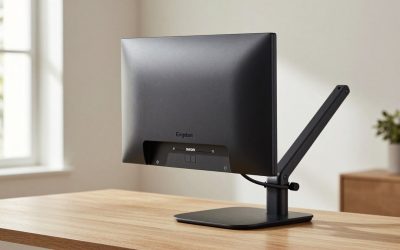
The MXV is the slim, lightweight sibling. Its appeal is visual and practical: it weighs roughly 6.4 lb, so it is easy to carry, simple to move between desks and less visually heavy on a shallow desk. It is also a good fit for shared spaces and hot-desks where a facilities team swaps arms.
Two limits matter. First, the clamp range of about 0.47 to 1.25 in excludes many thick desktops; the grommet option solves that if your desk has a hole. Second, the 20 lb ceiling means a 32 inch or 34 inch screen needs a weight check. A 27 inch QHD monitor typically fits; a heavy gaming ultrawide may not. When in doubt, step up to the LX.
Pros: light and slim, easy to relocate, white, black and polished finishes available, wall version sold. Cons: narrower clamp range, 20 lb ceiling, higher price than generic arms of similar reach.
5. Ergotron LX Dual Monitor Arm: Best Side-by-Side Pair
- Two screens on a single post, each on its own arm
- Screens up to 27 inches, 7 to 20 lb each, per the listing
- Matte black and polished aluminum versions are sold
- Desk clamp or grommet mounting
Best for: two matched 24 to 27 inch monitors on a standard-depth desk. Skip if: one of your screens is lighter than 7 lb or heavier than 20 lb.
The LX Dual is the straightforward answer to “ergotron dual monitor arm”. Both screens share one clamp, which saves desk edge and keeps cable runs short. The key rule is that the weight window applies to each arm separately, so pairs of the same model are ideal. Pair a 12 lb monitor with a 5 lb monitor and the lighter one will fall outside the 7 lb floor.
Also note a lighter sibling in the store: the LX Dual Direct Monitor Arm lists screens up to 25 inches at 2 to 11 lb each. If you run two lightweight 24 inch panels, that arm may suit you better than the standard LX Dual, but its smaller maximum weight and size should be checked first.
Pros: one clamp for two screens, familiar LX motion, finishes match single arms. Cons: both monitors must fit the same window, 27 inch cap, expensive compared with two generic arms.
6. Ergotron LX Vertical Stacking Dual Monitor Arm: Best for Narrow Desks
- Two screens stacked one above the other on a single mount
- Listed for two screens up to 40 inches, 7 to 22 lb each
- The LX Pro stacking version is listed for screens up to 24 inches at 4 to 22 lb each, with a stack height limit of about 14 in on the outer display
- Desk clamp or grommet mounting
Best for: shallow desks, trading and monitoring setups, and tall screens used one above the other. Skip if: you want two screens side by side at the same eye height.
Stacking is the setup people often overlook. If your desk is only 24 to 28 in deep or sits against a window, side-by-side screens eat width and force head turning. Stacking puts the primary screen at eye level and the second screen above for reference material or video calls. The limit is the physical height of both screens together, so it works best with two monitors of similar size. The stack height details differ between the standard and LX Pro versions, so confirm the figure for your screen sizes on the maker’s page.
Pros: frees desk width, high weight window per screen, two versions for different screen sizes. Cons: stack height limits, upper screen needs more neck extension, premium cost.
7. Ergotron HX Dual Monitor Arm: Best for Two Larger Screens
- Two screens on one post, side by side
- Screens up to 32 inches, 5 to 17.5 lb each, per the listing
- Matte black, white and polished aluminum versions are sold
- Desk clamp mounting
Best for: two 27 to 32 inch screens in a home office or design setup. Skip if: you need a 20 to 42 lb window per screen; the HX Dual is not a heavy-duty dual.
The name confuses people. The single HX is the heavy-duty arm (20 to 42 lb), while the HX Dual is built around a different window: 5 to 17.5 lb for each screen. That makes it a better match for two 27 to 32 inch monitors than the LX Dual when those screens are on the heavier side of normal and you want the larger size ceiling. It is also the most expensive option in this guide per screen, so it makes the most sense where the desk layout and size ceiling justify it.
Pros: 32 inch per-screen limit, window starts as low as 5 lb, three finishes. Cons: highest cost here, 17.5 lb ceiling per screen, single desk-clamp style.
Also Consider
HUANUO TitanLift Heavy Duty Monitor Arm. Listed for screens up to 49 inches and 44 lb. It is the budget answer to the HX when a big ultrawide is the goal. Details such as spring behaviour over time and long-term support are not listed, so treat it as the value choice rather than a like-for-like match.
VIVO Premium Aluminum Monitor Arm for Ultrawides. Listed for screens up to 49 inches and 33 lb, with a pneumatic arm. Another way to handle a large ultrawide without the Ergotron price.
HUANUO FlowLift Pro Monitor Arm. Listed for 13 to 32 inch screens with a spring-based lift. A low-cost option for a lighter single monitor where you do not need Ergotron’s longer warranty.
HUANUO FlowLift Dual Monitor Stand. Listed for two 13 to 32 inch screens with full-motion arms. A budget alternative to the LX Dual; check the per-arm weight on the listing because it varies between HUANUO dual models.
How We Chose
This guide is research-based. We did not personally use these products. We compared Ergotron’s published model pages, retailer spec sheets from sources such as B&H and Ergodirect, the product titles in our store and independent write-ups from sites like Desk Verdict and Does It Fit My. We kept each arm in the list only if its weight window, screen-size limit and mounting method were stated clearly enough to compare. Where a detail was unclear, such as stack height by screen size or weight windows on gaming variants, we wrote “not listed” instead of guessing.
We also limited the list to one arm per use case, so the guide is a selector rather than a ranking of near-duplicates. The classic LX appears once, the LX Pro appears once, and dual arms are grouped by layout rather than by every colour variant.
Buying Guide: How to Match an Ergotron Arm to Your Setup
1. Start with the weight window, not the screen size
Every Ergotron arm in this list has a minimum and a maximum weight. Look up your monitor’s weight without the stand, then pick an arm whose range includes it with a few pounds to spare. As a rough guide from the windows above: under 7 lb points to the LX Pro (from 4 lb) or HX Dual (from 5 lb); 7 to 20 lb fits the LX, MXV or LX Dual; 20 to 25 lb points to the LX; 25 to 42 lb points to the HX. If you carry a monitor with a built-in speaker bar or thick body, add that weight too.
2. Check the desk edge
Clamp thickness limits matter more than most buyers expect. The MXV clamp is listed for about 0.47 to 1.25 in. The LX Pro is listed for about 0.4 to 2.4 in. The HX is listed up to about 2.59 in. Standing desks and butcher-block tops are often thicker than 1.25 in, so MXV buyers should plan for a grommet hole or a different arm. Also look at the desk material: hollow-core or thin particleboard edges can crush under a clamp when the arm carries a heavy screen.
3. Check reach and height against your seat
Reach is how far the screen can extend from the post. The LX Pro lists up to about 25 in; the MXV about 22.2 in; the HX about 23.6 in. On a 30 in deep desk, any of them can bring a screen to a comfortable 20 to 28 in viewing distance if the post sits near the back edge. Height travel is about 13 in on the LX Pro and MXV and about 11.5 in on the HX. If you switch between sitting and standing at the same desk, the arm should travel with the desk rather than fight it.
4. Match VESA and curve
Most Ergotron arms here accept 75 x 75 and 100 x 100 mm VESA; the HX also lists 200 x 200 mm. If your monitor has recessed VESA holes or a strong curve, check the arm’s depth and curvature note. The LX Pro lists curved monitors with a depth up to about 3.6 in. Gaming screens at 1000R usually need the HX HD or VHD variants rather than the standard HX.
5. Decide whether the premium is worth it
Generic arms from VIVO and HUANUO cost a fraction of the Ergotron versions and work for many setups. The Ergotron case rests on the stated ten-year warranty, a wide and clearly published weight window, and parts availability. If you replace monitors often, share desks or run expensive screens, the premium has an obvious logic. If you have one light monitor on a permanent desk, a mid-priced alternative may be enough.
Common Mistakes to Avoid
- Buying the HX for a normal monitor. The single HX starts at 20 lb. Most 24 to 27 inch screens fall below that.
- Ignoring the minimum weight. A light monitor on a high-minimum arm will not hold height properly.
- Mixing two different monitor weights on a dual arm. Each arm needs its own screen inside the window.
- Forgetting the clamp range. Thick desks may need a grommet mount or a different arm.
- Trusting the “up to” screen size alone. A 49 inch screen is only possible if its weight also fits.
- Assuming “LX Pro” means a stronger LX. It lowers the floor to 4 lb and caps at 22 lb, so it is a different window, not a bigger one.
Decision Table: Which Arm Fits Your Situation
| Your situation | Pick | Why |
|---|---|---|
| One 24 to 27 inch monitor, about 8 to 14 lb | LX or MXV | Both windows include this range; the MXV is slimmer |
| One thin, light monitor under 7 lb | LX Pro | Window starts at 4 lb |
| 34 inch ultrawide, mid-weight | LX or LX Pro | 34 inch limit, check weight against 22 or 25 lb |
| Large ultrawide over 25 lb | HX | 20 to 42 lb window |
| Two matching 24 to 27 inch screens | LX Dual | One clamp, 7 to 20 lb per screen |
| Two screens on a shallow desk | LX Vertical Stacking | Stack instead of widening |
| Two 27 to 32 inch screens | HX Dual | 32 inch limit, 5 to 17.5 lb per screen |
| Thick standing desk top | LX Pro or HX | Wider clamp ranges listed |
| Tight budget, large ultrawide | HUANUO TitanLift or VIVO ultrawide arm | Listed up to 49 inches at 33 to 44 lb |
Frequently Asked Questions
What is the best Ergotron monitor arm overall?
The Ergotron LX is the best all-round pick because its 7 to 25 lb window and 34 inch limit cover most single monitors. If your screen is light, the LX Pro is the better match, and if it is heavy, the HX is the better one.
What is the difference between the Ergotron LX, HX and MXV?
The LX is the general-purpose arm (7 to 25 lb), the HX is the heavy-duty arm (20 to 42 lb) and the MXV is the slim, lightweight arm (7 to 20 lb, about 6.4 lb on the desk). The deciding factor is almost always your monitor’s weight without the stand.
Is the Ergotron LX Pro a real product?
Yes. The LX Pro is a current Ergotron line with single, dual, stacking and wall versions. The single arm is listed at 4 to 22 lb for screens up to 34 inches. It is not simply a stronger LX, because the weight ceiling is lower than the classic LX.
Can an Ergotron arm hold an ultrawide monitor?
Yes, within the weight window. The LX and LX Pro list screens up to 34 inches, and the HX is listed for ultrawides up to about 49 inches. Always check the exact monitor model against the maker’s compatibility note, since a few super-ultrawide screens are excluded.
Which Ergotron dual monitor arm should I buy?
For two matching screens up to 27 inches at 7 to 20 lb each, the LX Dual is the standard choice. For stacked screens, choose the LX Vertical Stacking arm. For two screens up to 32 inches at 5 to 17.5 lb each, choose the HX Dual.
Will an Ergotron arm fit a standing desk?
Usually, if the clamp range suits the top thickness. The LX Pro lists about 0.4 to 2.4 in and the HX about 0.4 to 2.59 in, while the MXV lists about 0.47 to 1.25 in. Check your desk’s edge thickness and any frame crossbars under the top before buying.
Are Ergotron arms worth it over cheaper brands?
It depends on the use. A wide published weight window, a ten-year warranty stated by retailers and easy access to parts support the price for shared or long-term desks. For one light monitor on a permanent setup, a mid-priced alternative from VIVO or HUANUO can be enough.
Can I use an Ergotron arm with a monitor that has no VESA holes?
Not directly. Arms in this guide need VESA 75 x 75 or 100 x 100 mm mounting, and the HX also lists 200 x 200 mm. Some third-party adapter plates exist, but their weight limits and fit are not listed here, so check them against your monitor before relying on them.
Which One Should You Buy?
Pick the LX if you have one normal monitor and want the widest weight window. Pick the LX Pro if your screen is light or your desk edge is thick. Pick the HX only when your screen weighs 20 lb or more. Pick the MXV if you value a slim arm and your desk edge is thin. For two screens, use the LX Dual for matched side-by-side screens, the LX Vertical Stacking arm for narrow desks and the HX Dual for two larger monitors. If the Ergotron price does not fit the use, the HUANUO and VIVO arms above are the next place to look, as long as you check their weight and screen-size limits first.
Whatever you choose, write down three numbers before ordering: the monitor weight without the stand, the desk edge thickness, and the distance from the desk edge to where the screen should sit. Those three figures remove most of the guesswork and most of the returns.
Sources
- Ergotron manufacturer model pages for LX, LX Pro, HX and MXV monitor arms
- B&H Photo Video spec listings for Ergotron HX Desk Monitor Arm
- Ergodirect spec listings for Ergotron MXV and LX Pro arms
- Desk Verdict: Ergotron LX Pro review
- Does It Fit My: Ergotron LX Pro dual stacking arm compatibility notes
- Product store listings for HUANUO and VIVO monitor arms
Last updated: October 2026
Related Reviews & Guides
Ergotron Laptop Cart Guide: Neo-Flex, StyleView and Alternatives